LINK — Locked Link (Page 3 of 4)
Locked Link
The Locked Link function allows you to restrict access to a link so only users with the required password can open it.
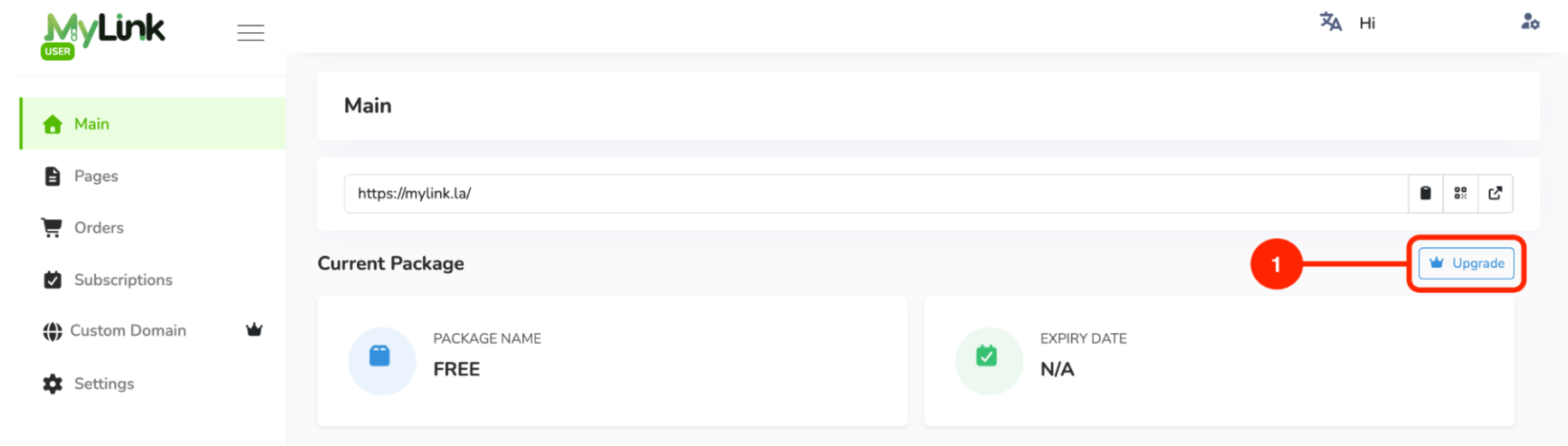
This function can be used if you subscribe to the Premium package. To subscribe:
Click the Upgrade button on the Main page.
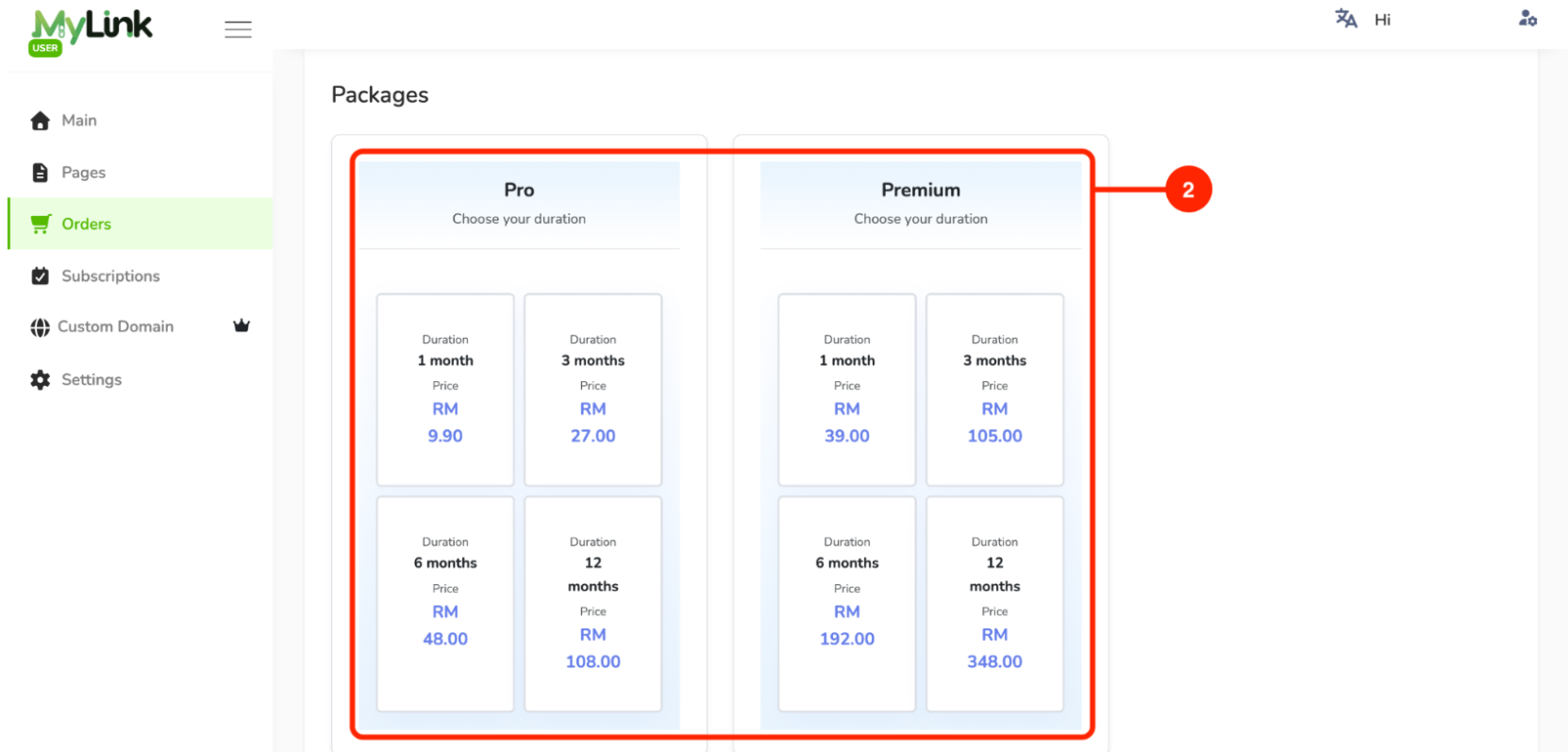
Choose Pro or Premium, then select your preferred subscription duration.
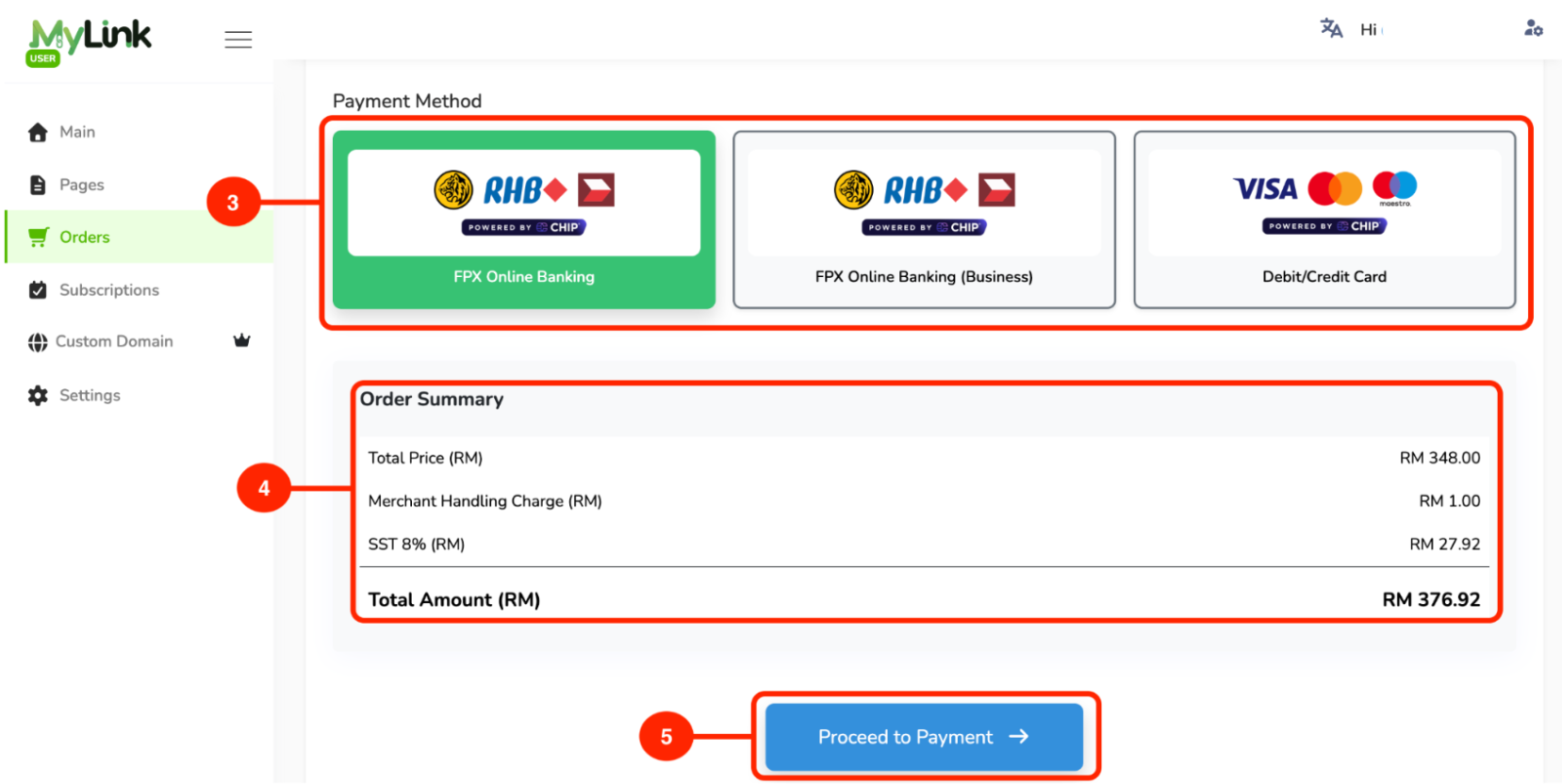
Select your payment method.
Check the order summary.
Click Proceed to Payment.
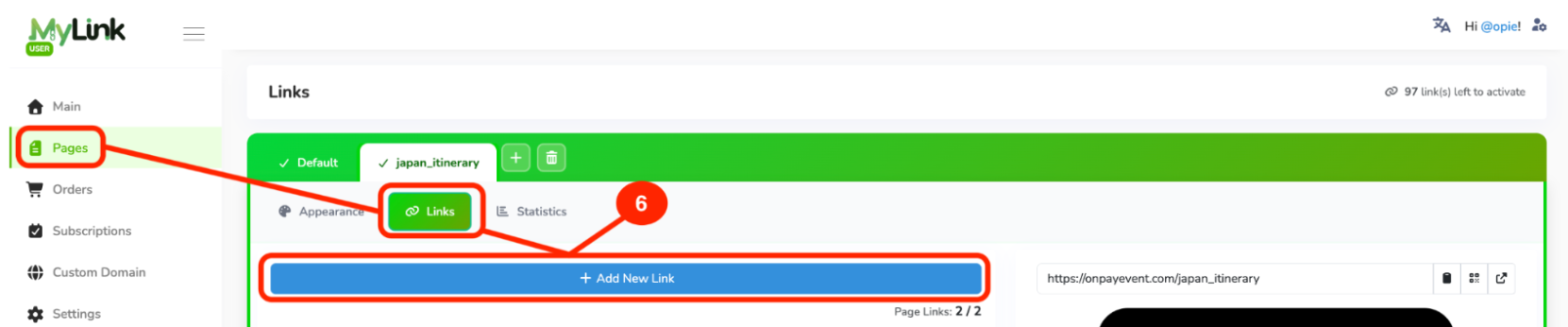
After subscribing to the package, go to Tab Pages then Links and click + Add New Link.
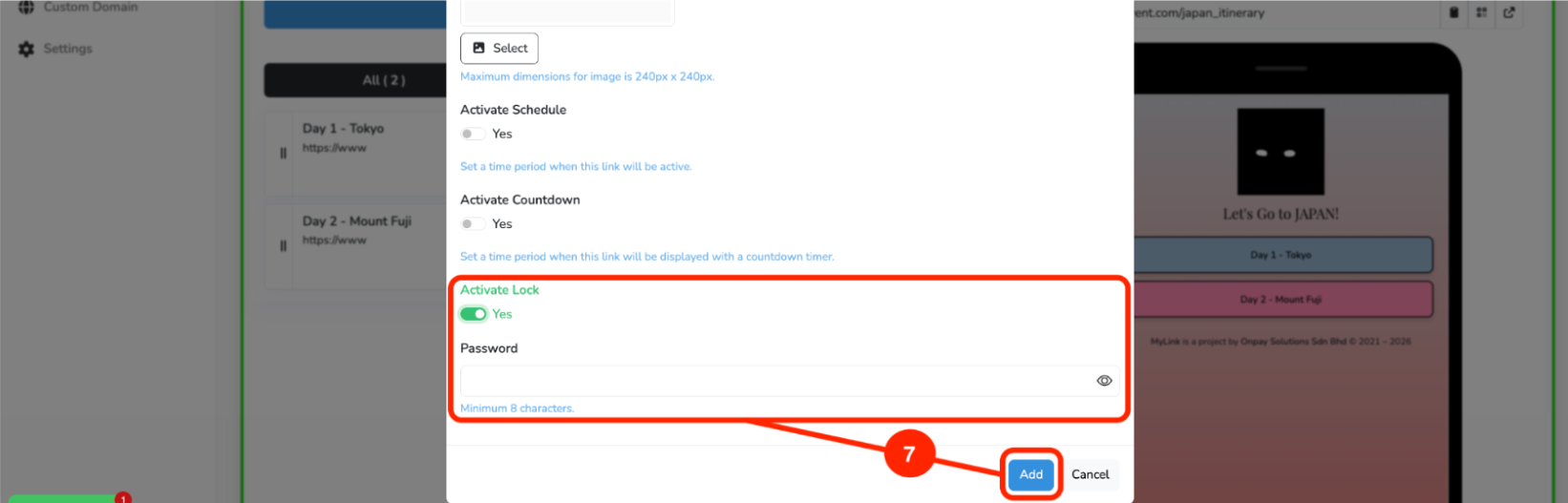
After filling in the link details, click Activate Lock , insert a password (minimum 8 characters), then click Add.
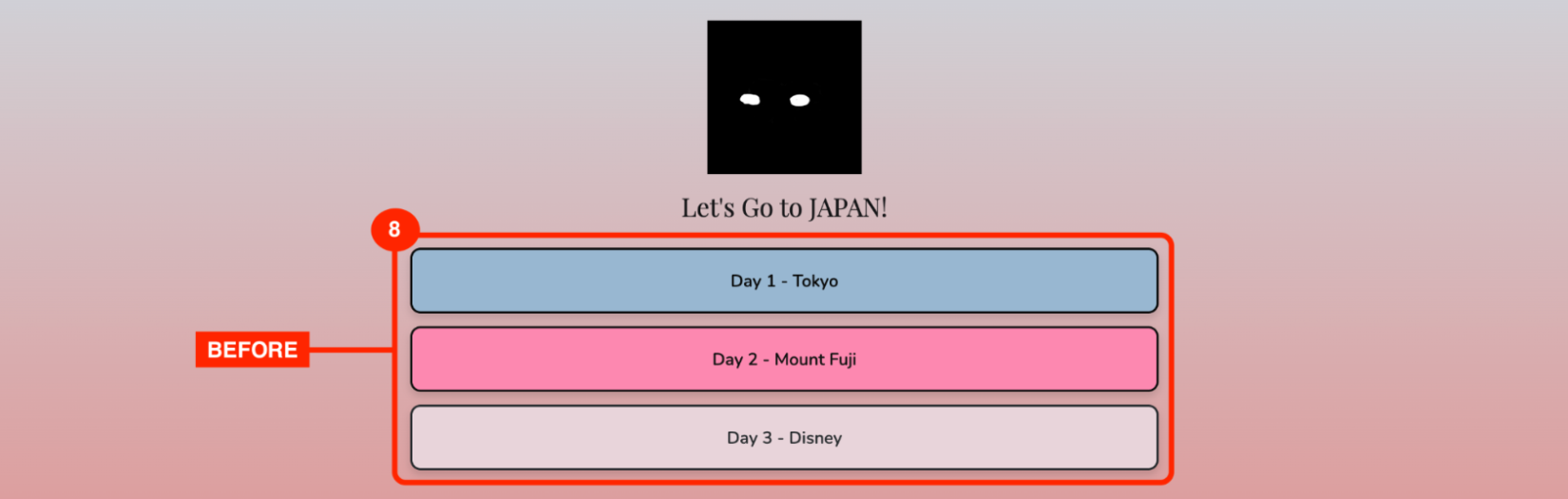
Before activating the Locked Link function
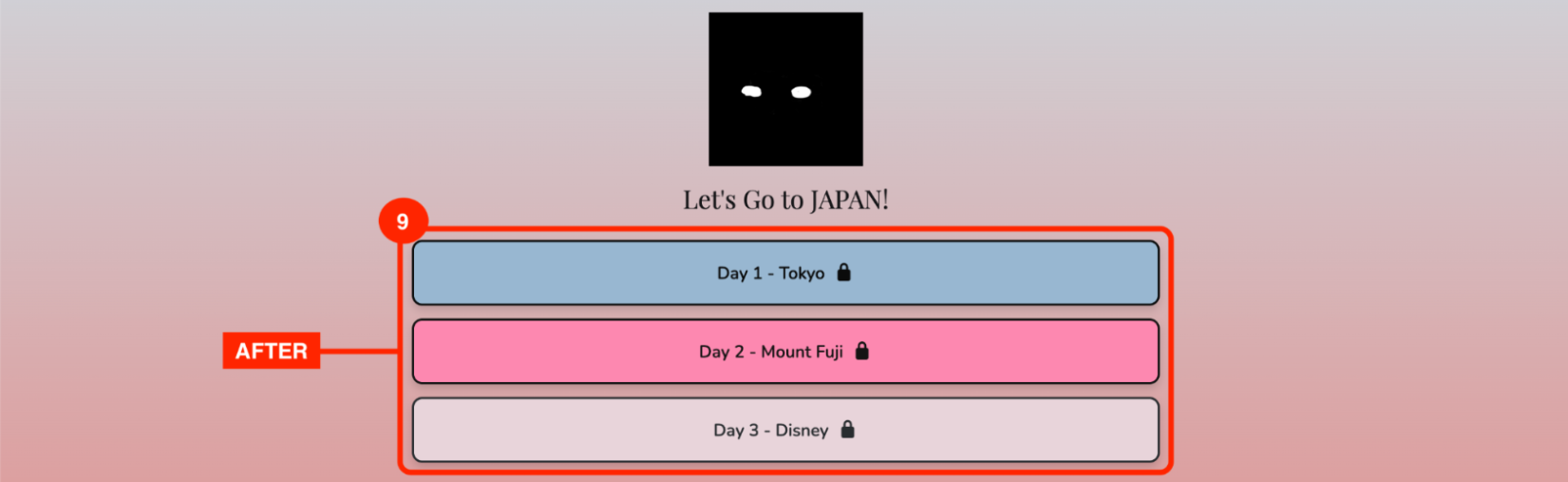
After activating the Locked Link function
Entering the password to unlock