CUSTOM DOMAIN — Custom Domain (Page 1 of 1)
Setup Custom Domain
Use your own domain name instead of the default MyLink domain to make your link more professional and easier to remember.
Requires: Premium package.
Before you start: Purchase a domain from any domain provider (Hostinger, Namecheap, GoDaddy, NetKL, etc.).
Before you start: Purchase a domain from any domain provider (Hostinger, Namecheap, GoDaddy, NetKL, etc.).
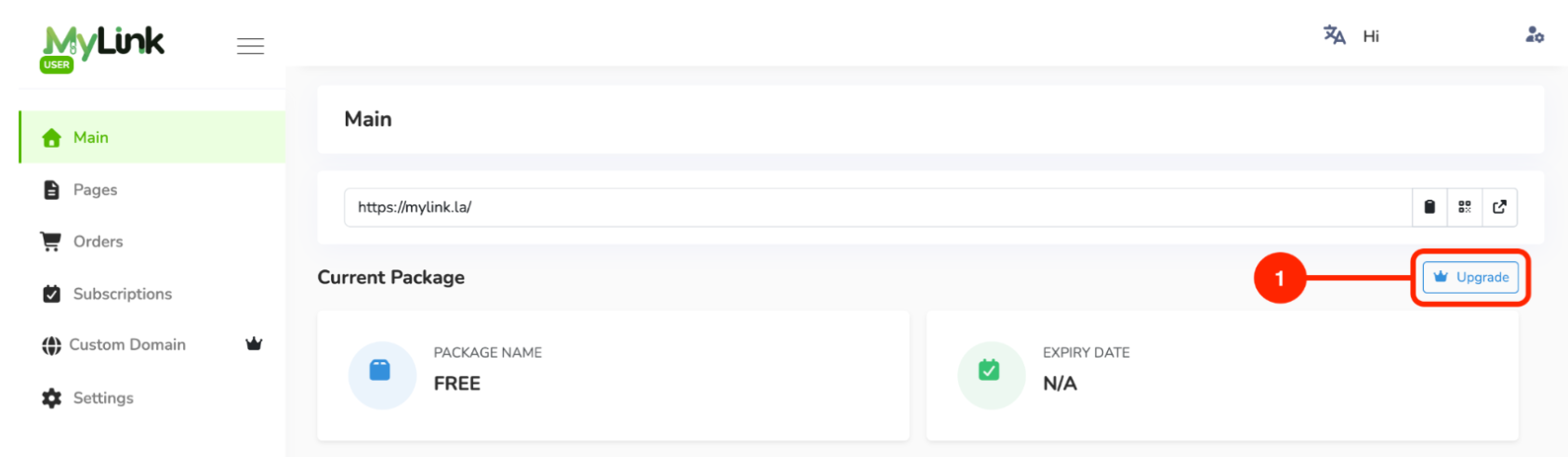
Upgrade to the Premium package.
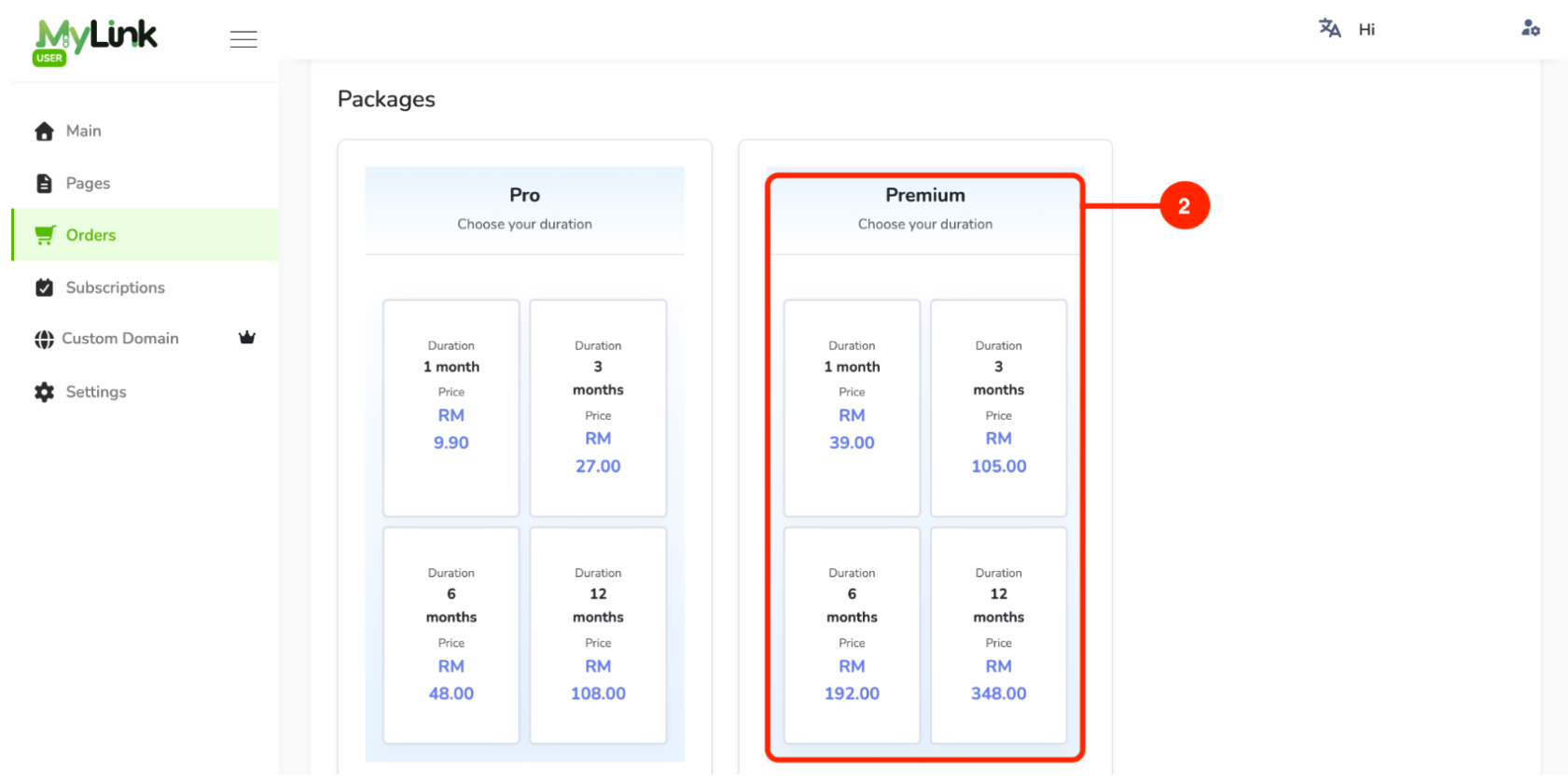
Choose your preferred subscription duration.
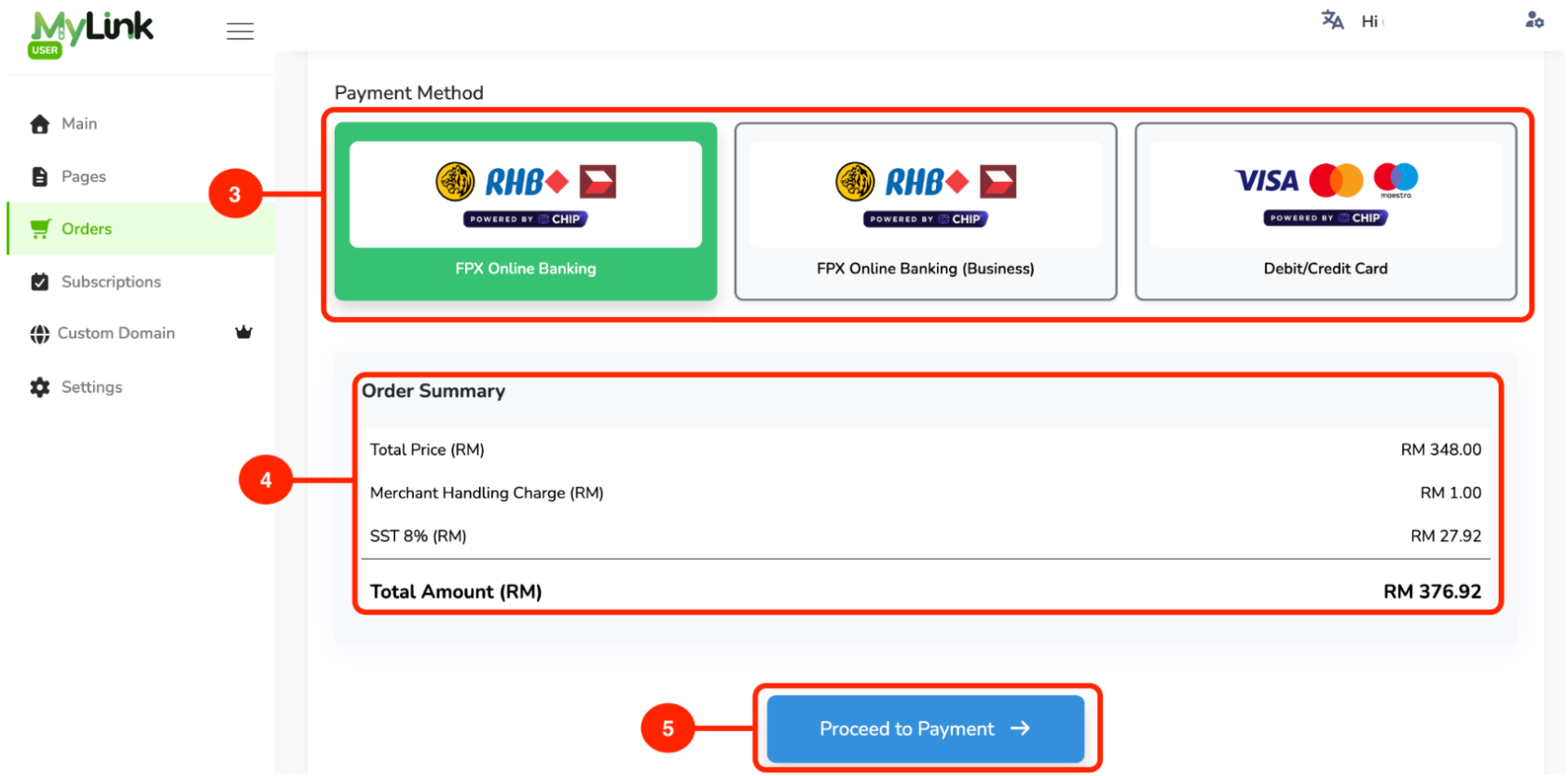
Select your payment method.
Check the order summary.
Click Proceed to Payment.
After subscribing to the Premium Package, go to the Custom Domain tab and copy the Value/Target for the CNAME and TXT records.
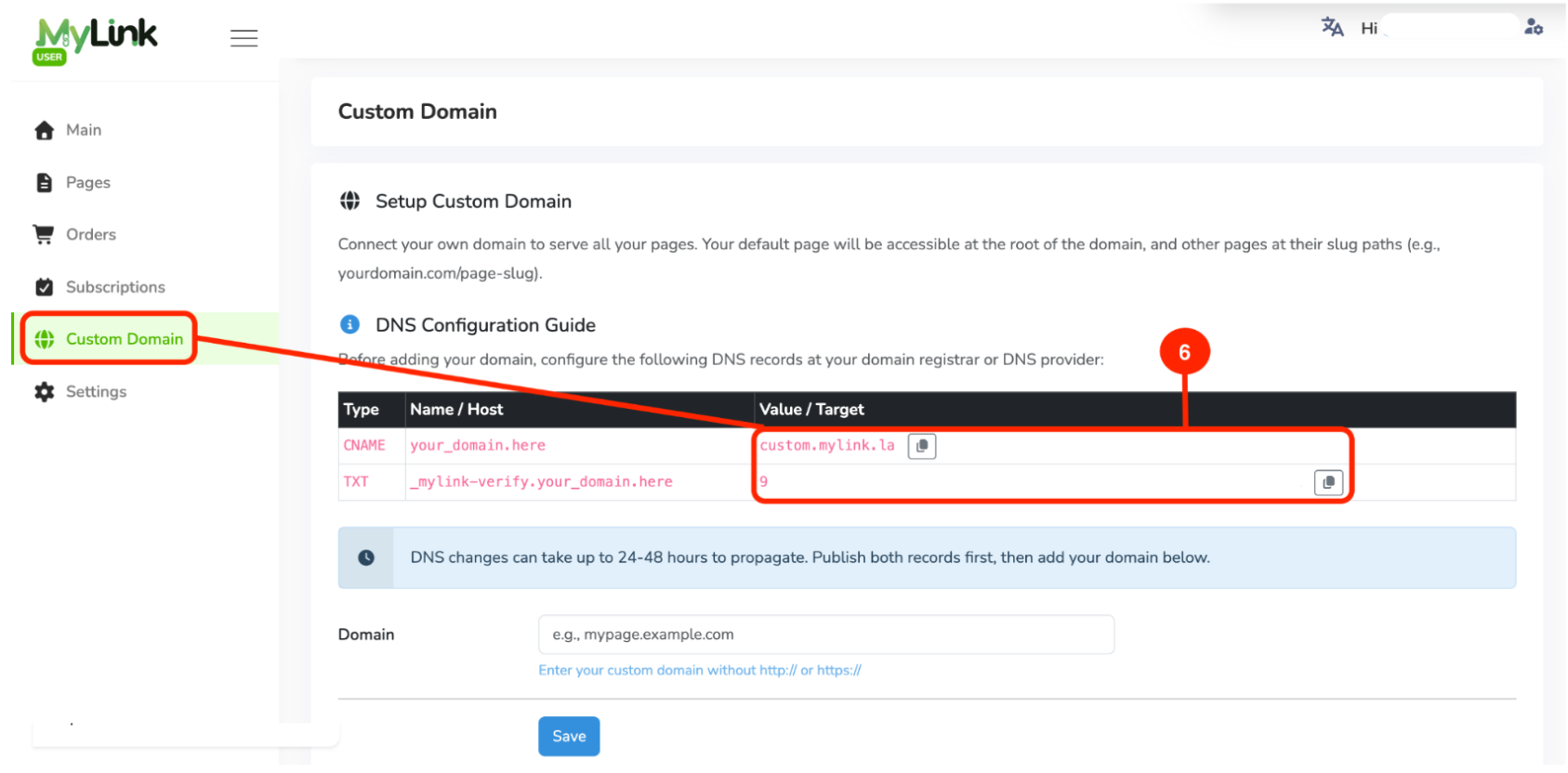
Go to your domain provider account and add the copied Value/Target to the corresponding CNAME and TXT records.

Back in MyLink, go to Custom Domain, enter your custom domain (without
http://orhttps://), then click Save.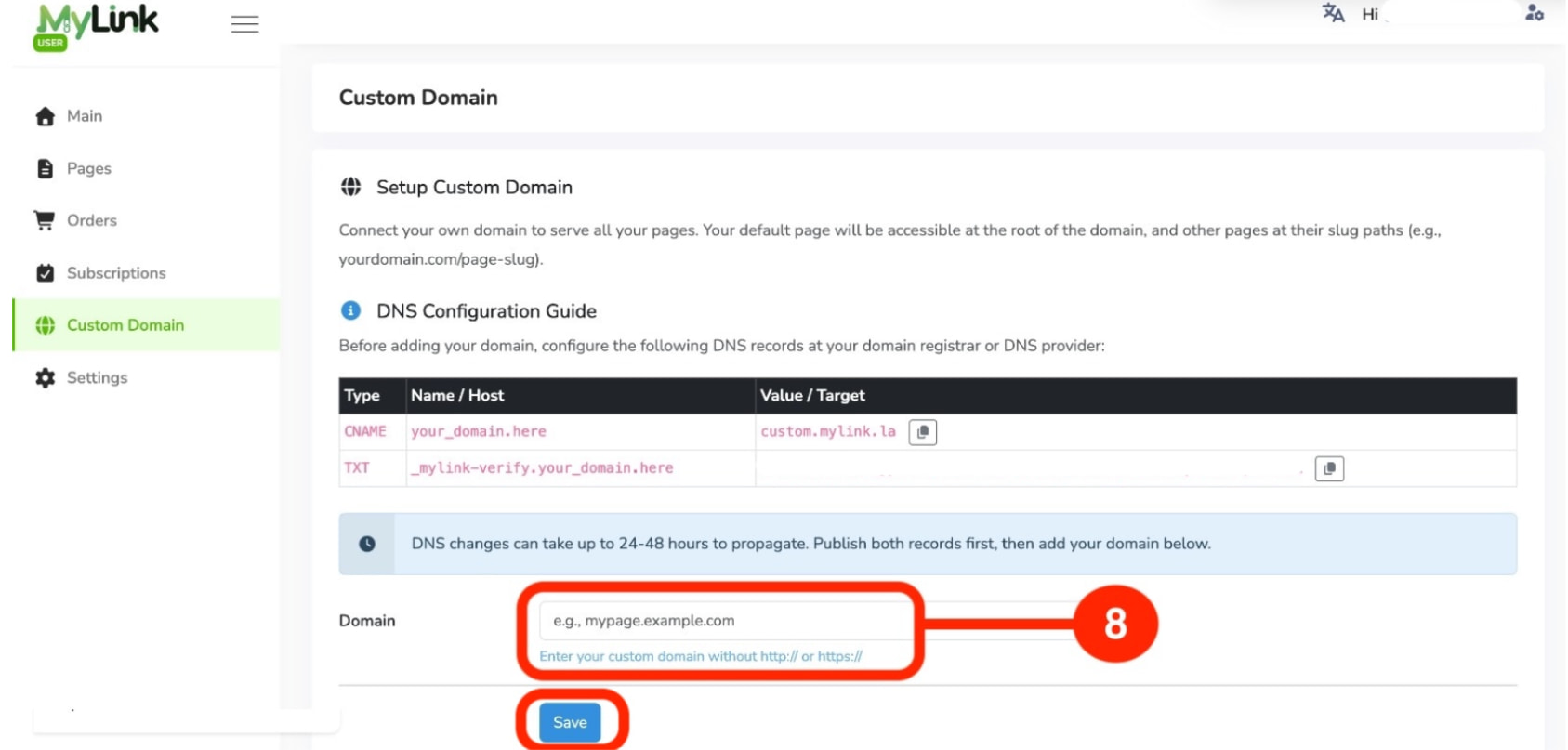
After saving, wait for domain propagation process usually takes 24 to 48 hours to be successfully completed. Please check the domain status from time to time.
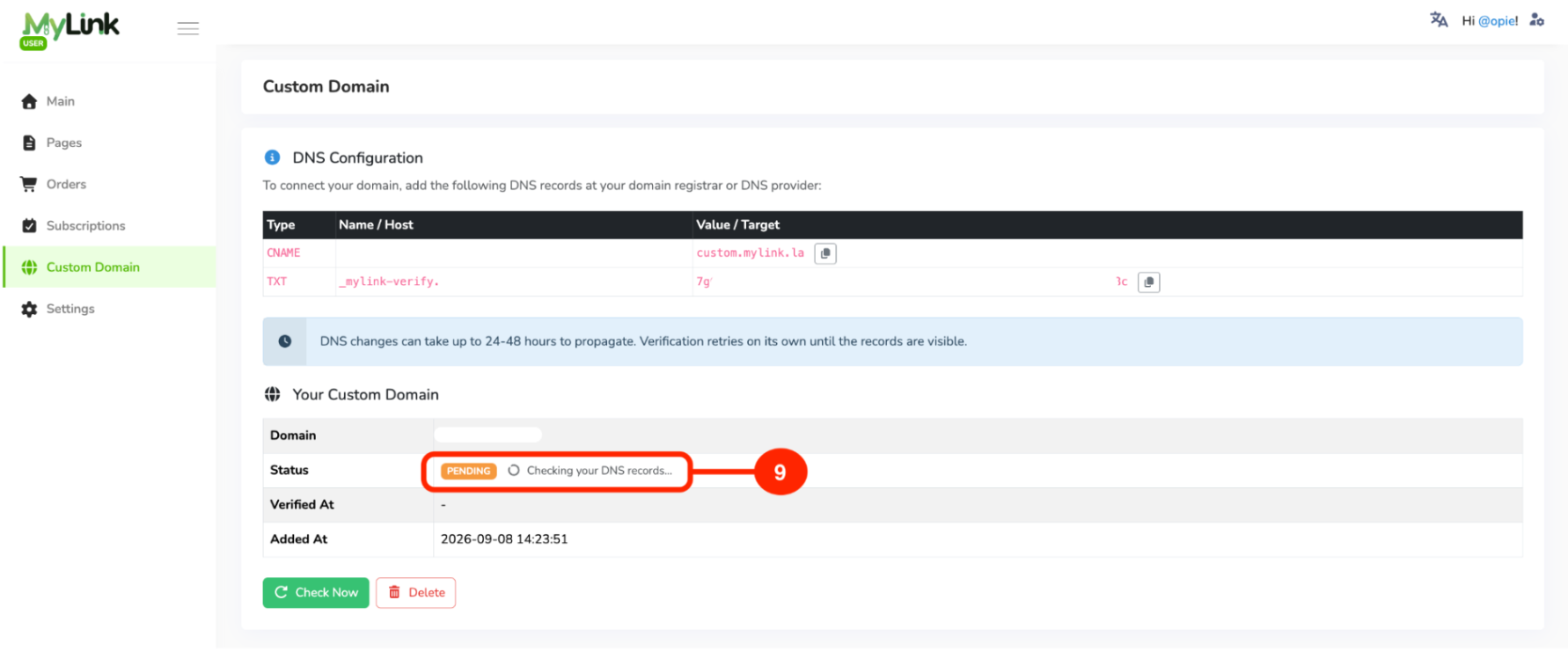
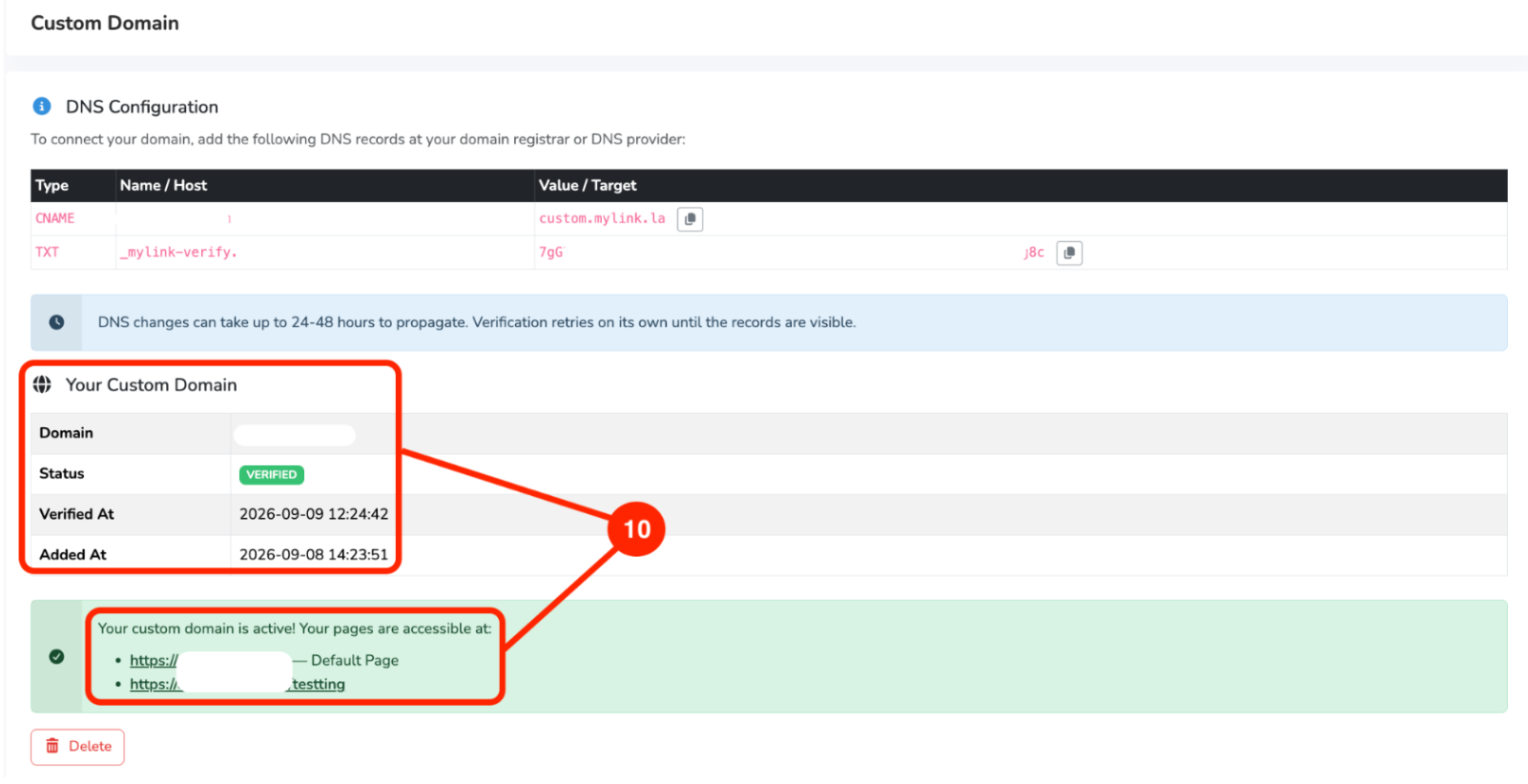
Once your domain has been fully propagated, your MyLink URL will change to your custom domain that has been set up.
If you need help adding DNS records, contact your domain provider's support team.
Page 1 of 1 · Custom Domain