How to Use MyLink
From registration to sharing your first link — everything you need to get started with MyLink.
Getting Started
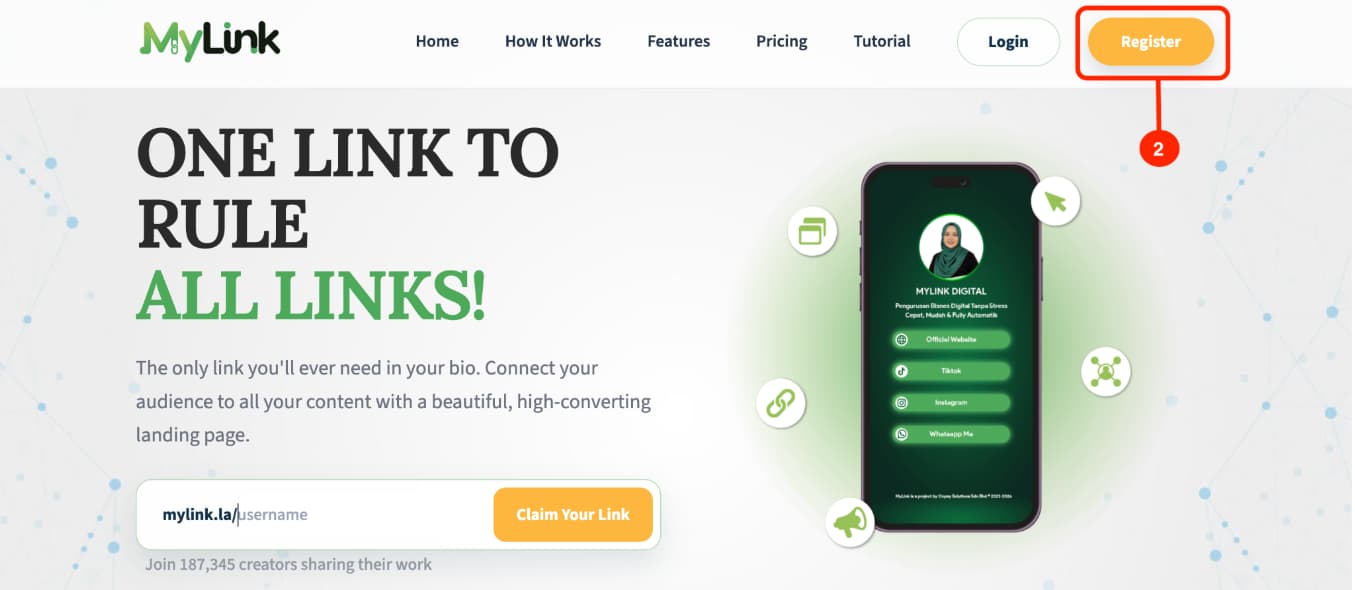
Go to mylink.la
Click the Register button.
Create an Account
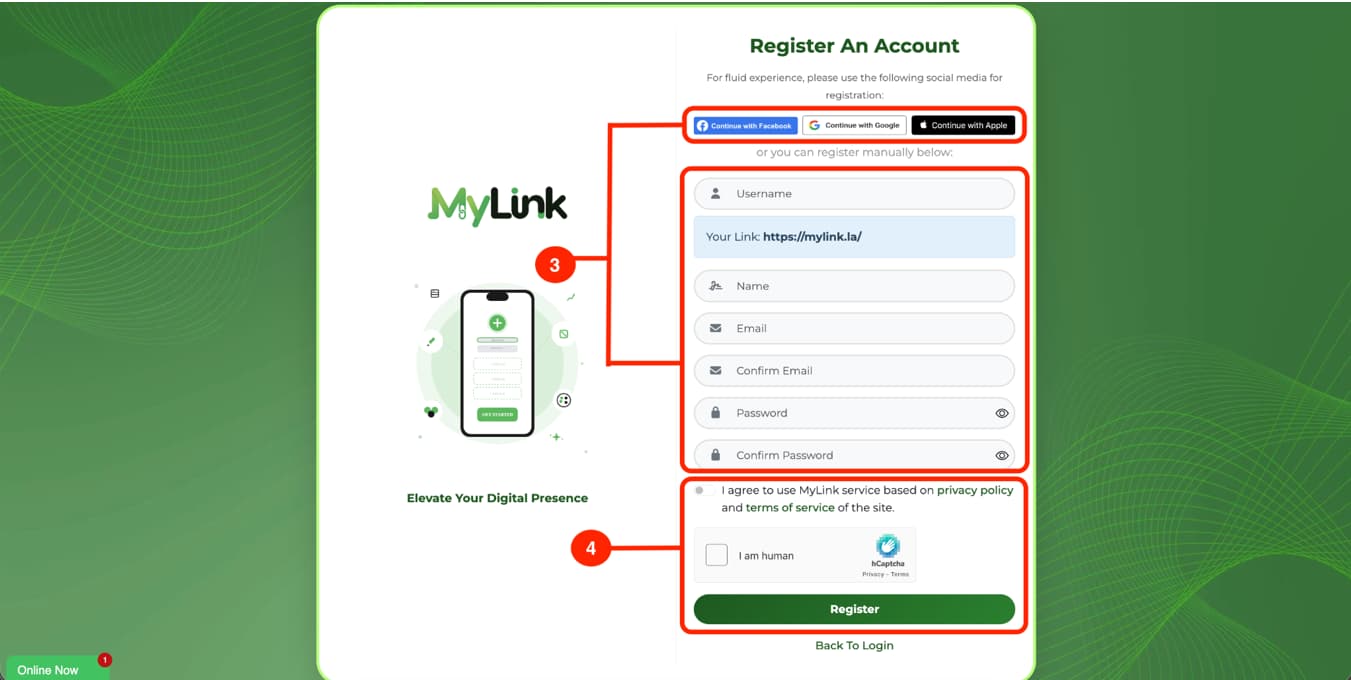
Directly register through social media accounts, OR register manually by filling in the form.
Tick the agree box, then click the Register button.
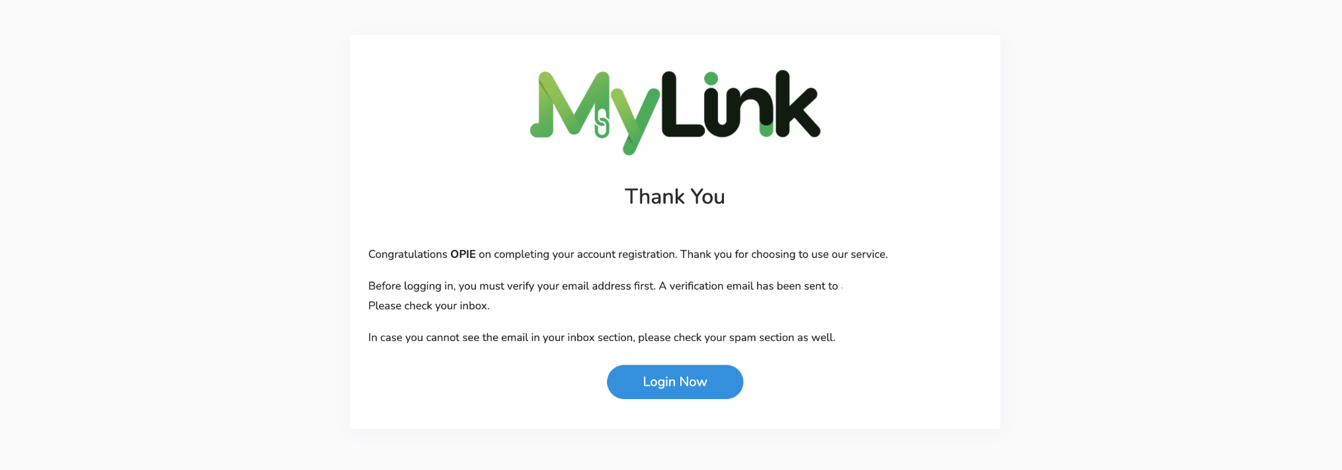
Verify Your Email
Check your email inbox for a verification link.
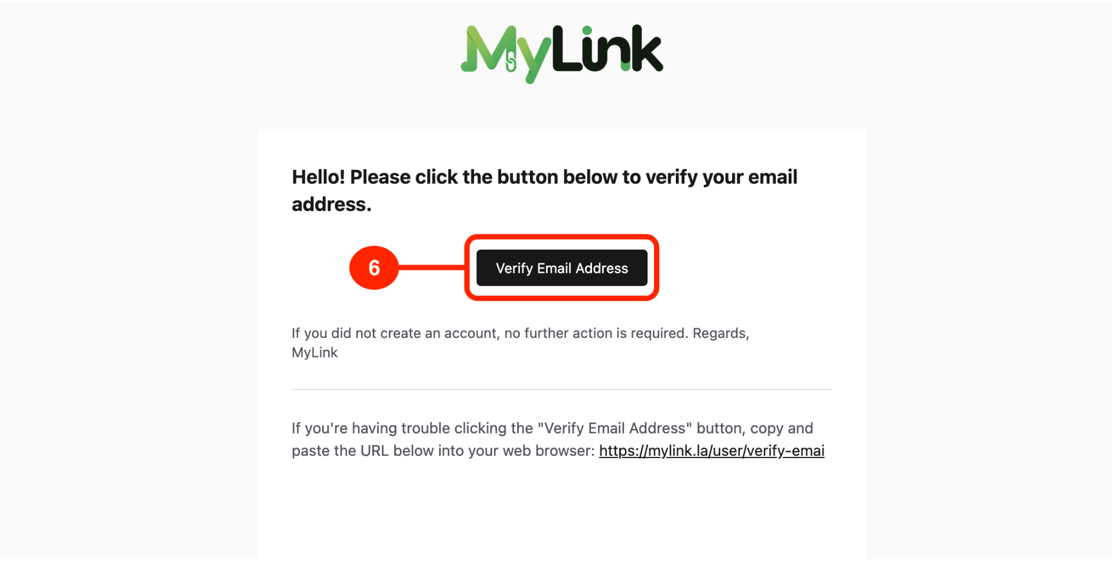
In your email inbox, Click the Verify Email Address button.
If you don't see the email, check your spam or junk folder.
Edit Profile and Background
Click the Pages tab, then click Appearance.
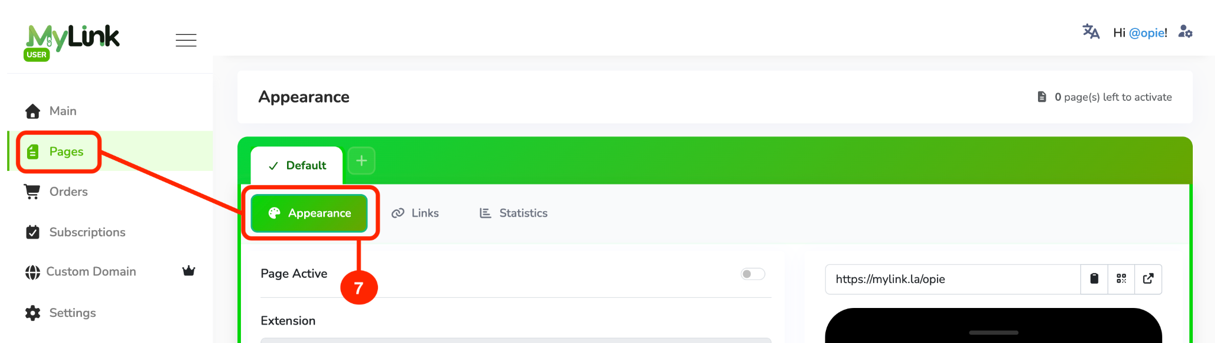
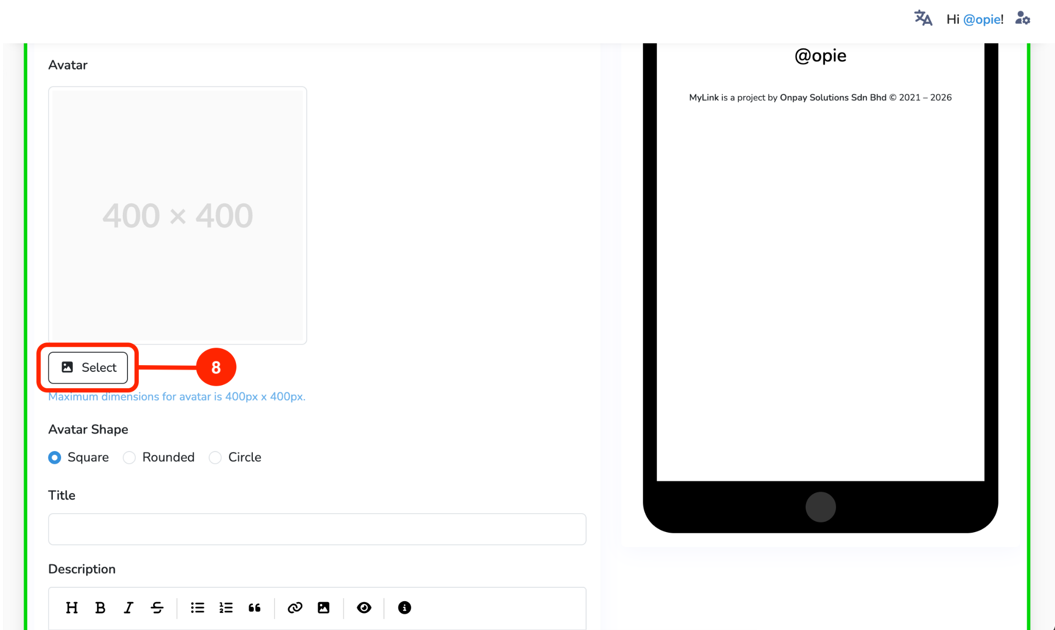
To change your profile picture, Click the Select button to browse Photos.
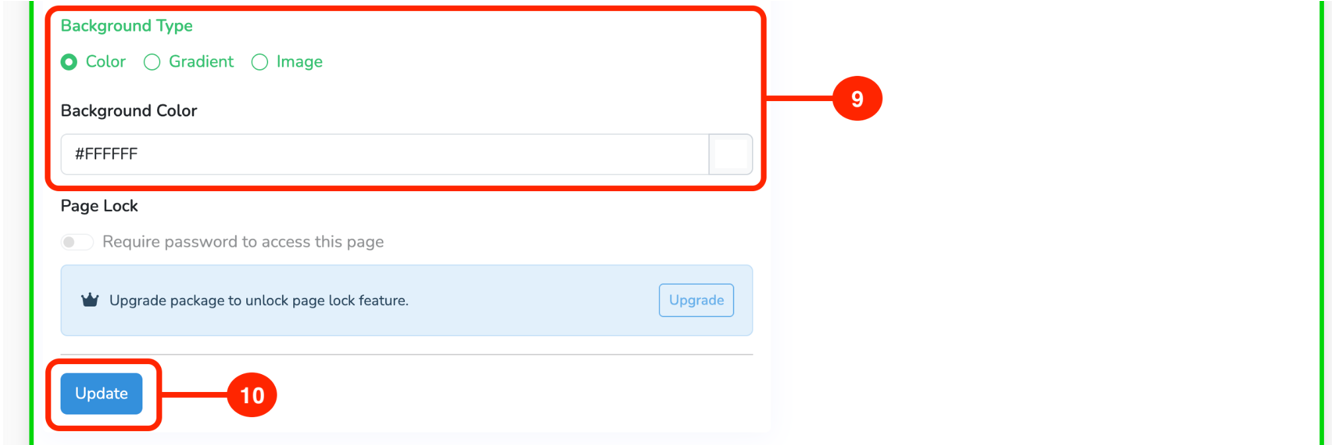
Choose and customize the background.
Click the Update button.
Add Links
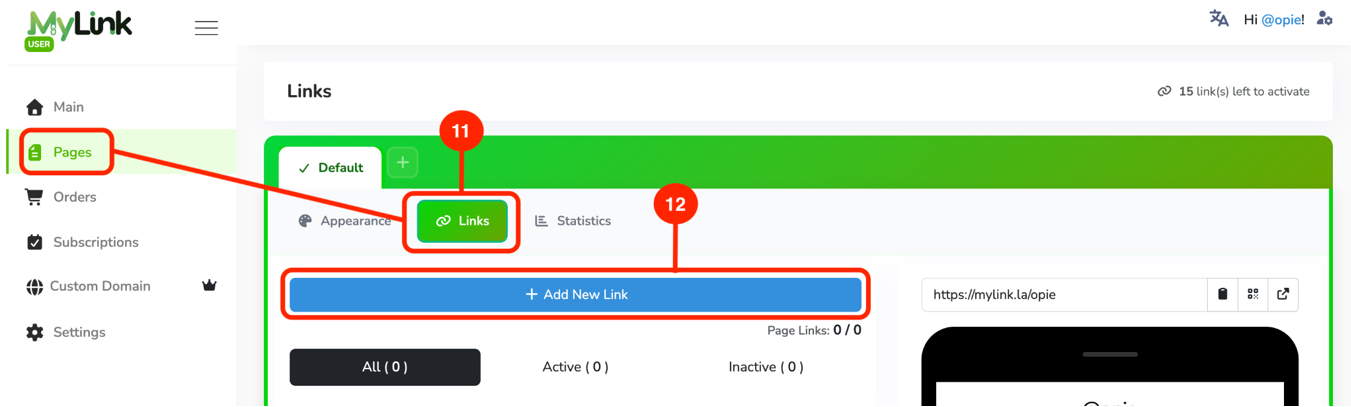
Click the Pages tab, then click Links.
Click the + Add New Link button.
Edit Links
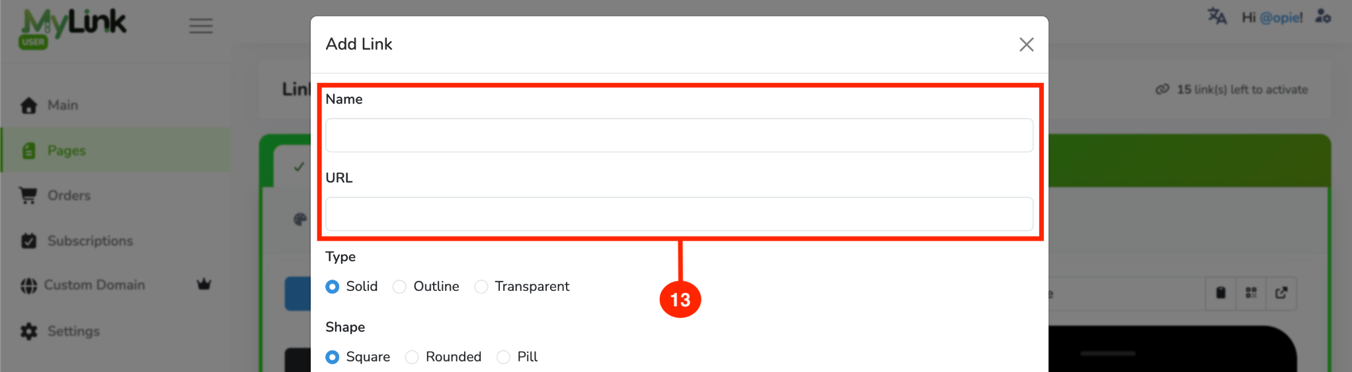
Put a name for your button and provide the URL.
Click the Select button to insert an icon for your button.
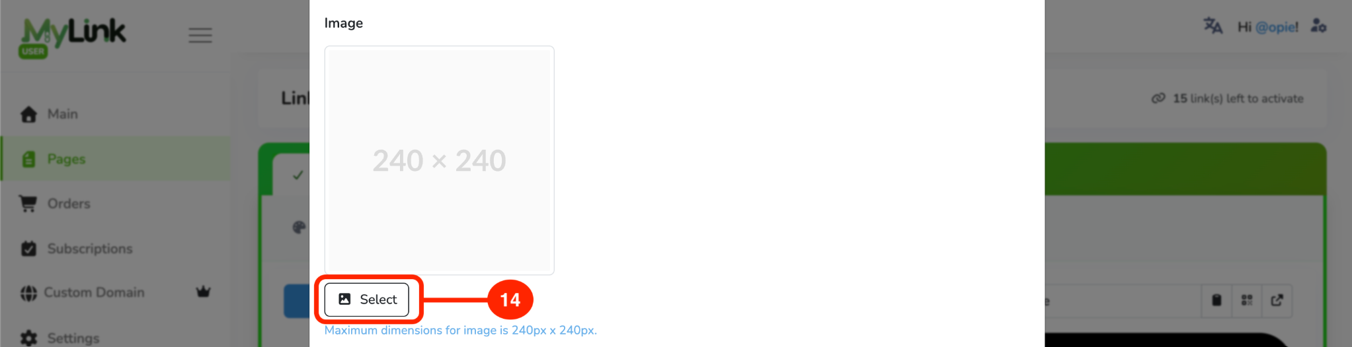
Then, Click Add button.

Rearrange Button Position
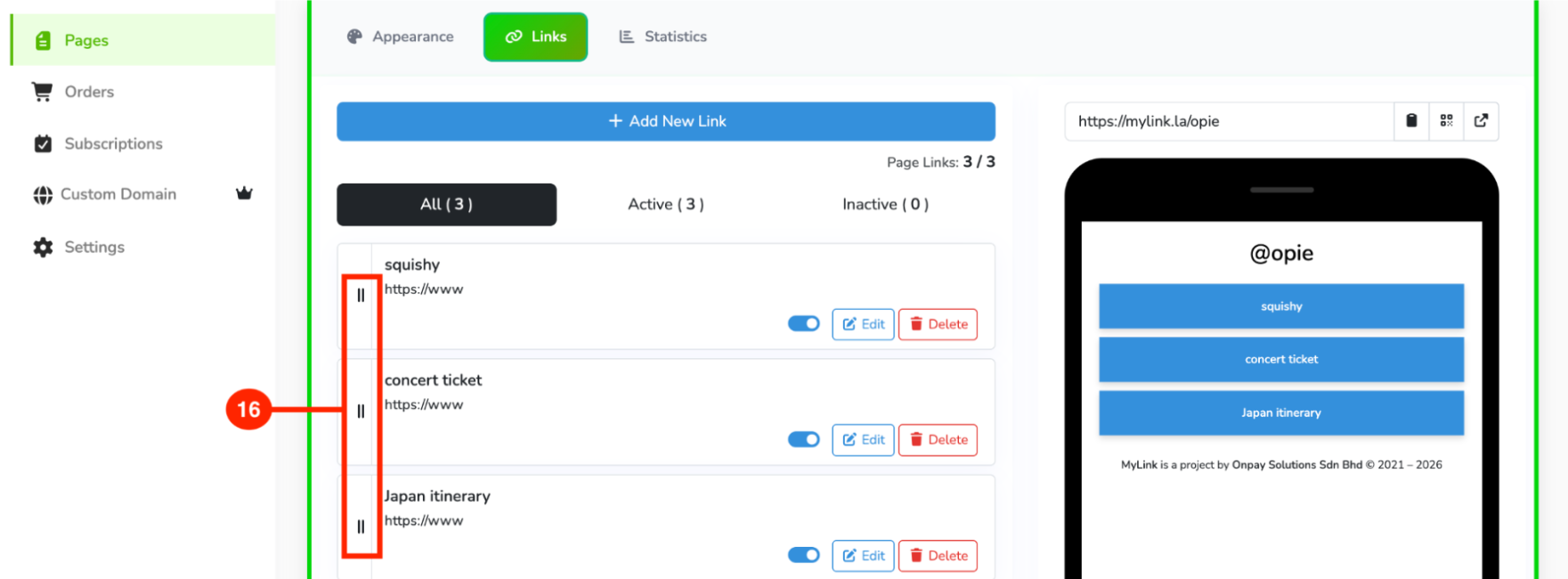
Hold and drag up or down to rearrange the button position.
Review Your Link
Click the Preview button to view your profile.
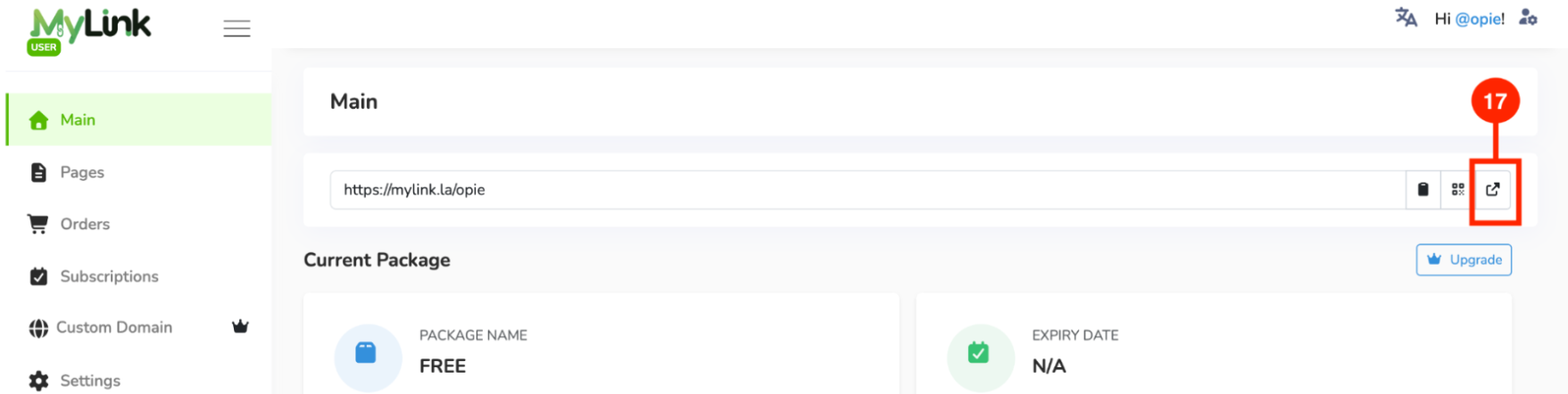
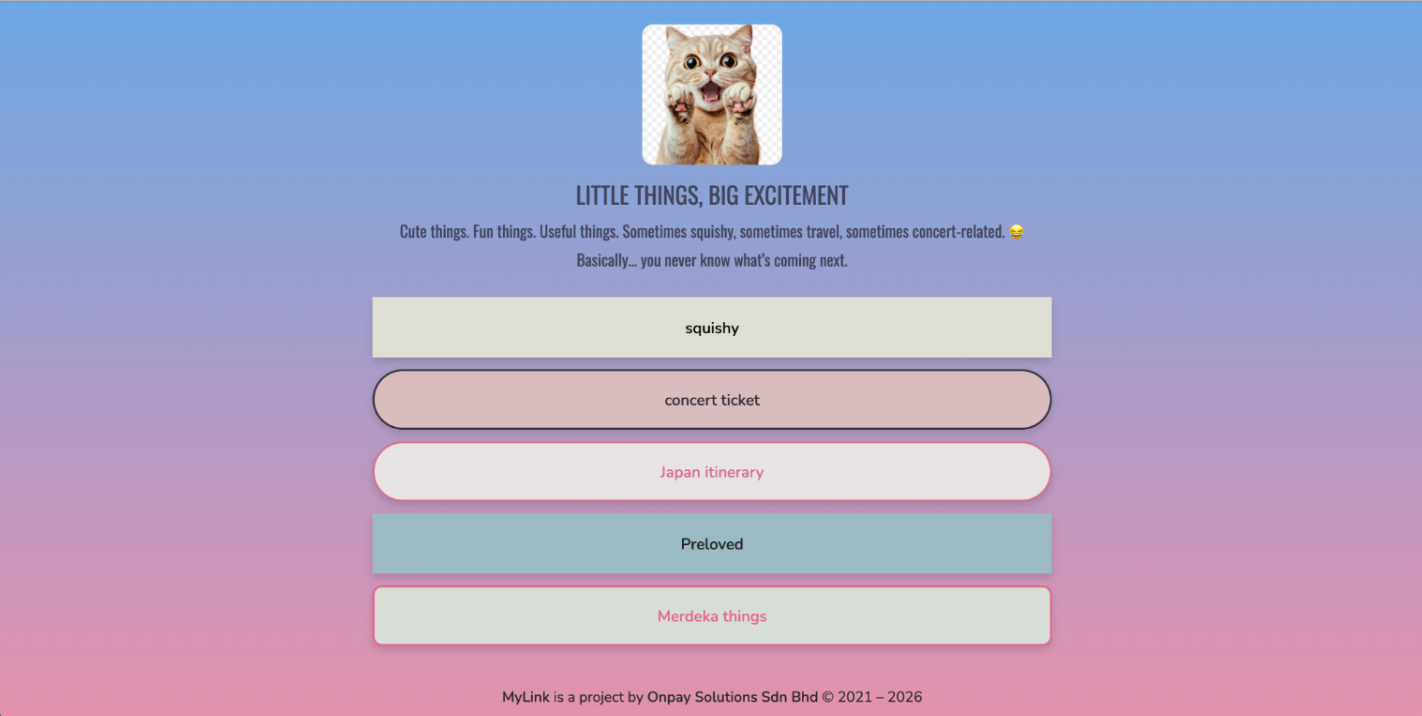
Example of a completed MyLink profile!
Share Your Link
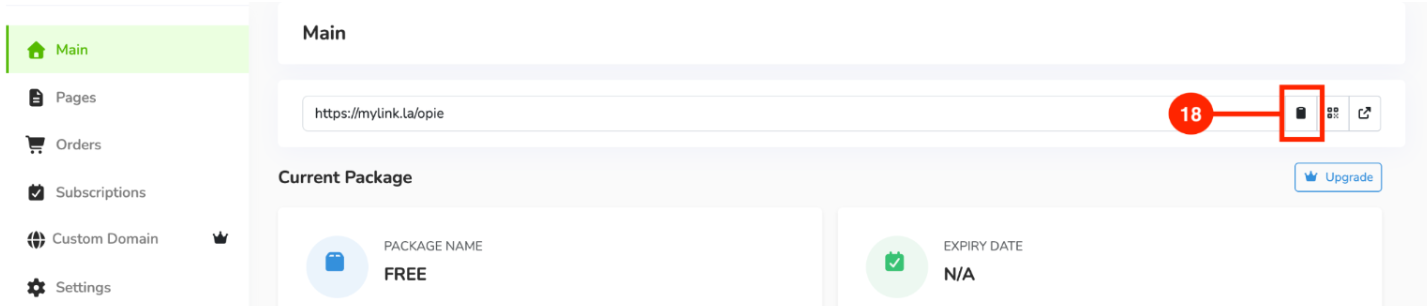
Copy your MyLink link and share it on social media, or with friends or customers.
Additional notes:
- For the Free Package, you are limited to 1 page with a maximum of 15 links.
- To unlock additional pages and advanced features, upgrade your plan.