PIXEL — Google Analytics (Page 3 of 3)
Google Analytics
Track visitor activity on your MyLink page using Google Analytics. Follow these steps to activate it in MyLink and connect it to your Google Analytics account.
Requires:You need to be subscribed to the Pro or Premium package before setting up Google Analytics.
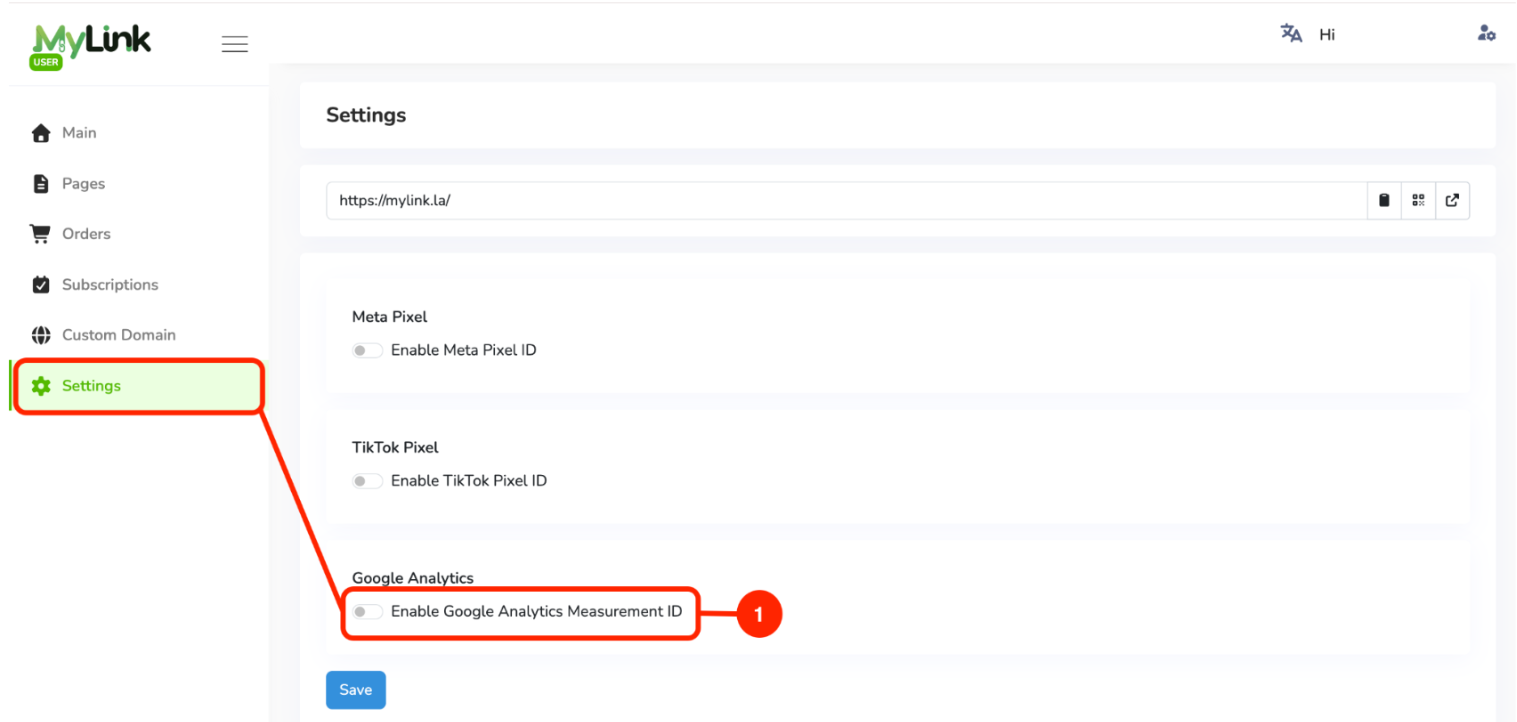
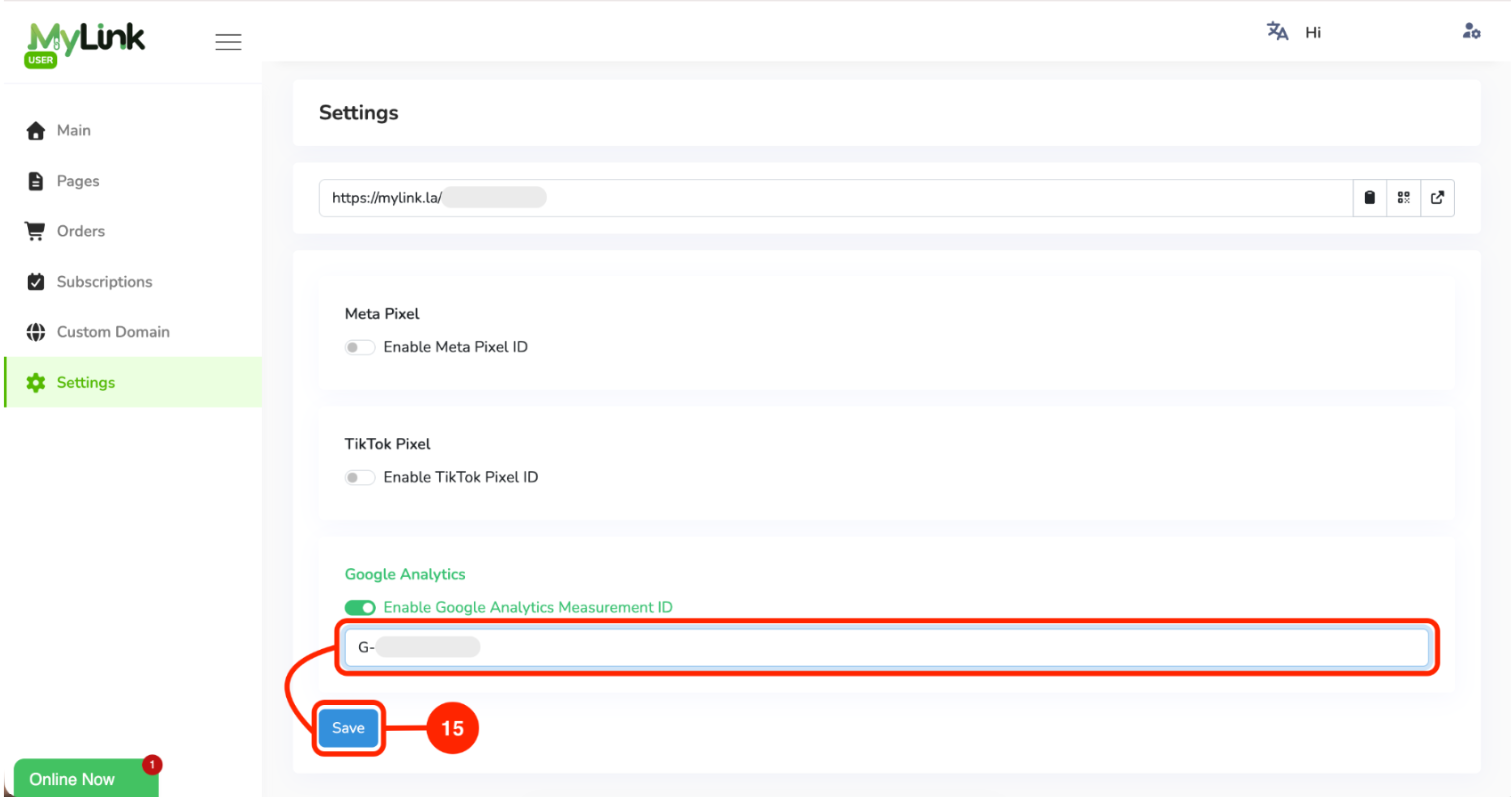
In MyLink, go to Settings and Enable Google Analytics.
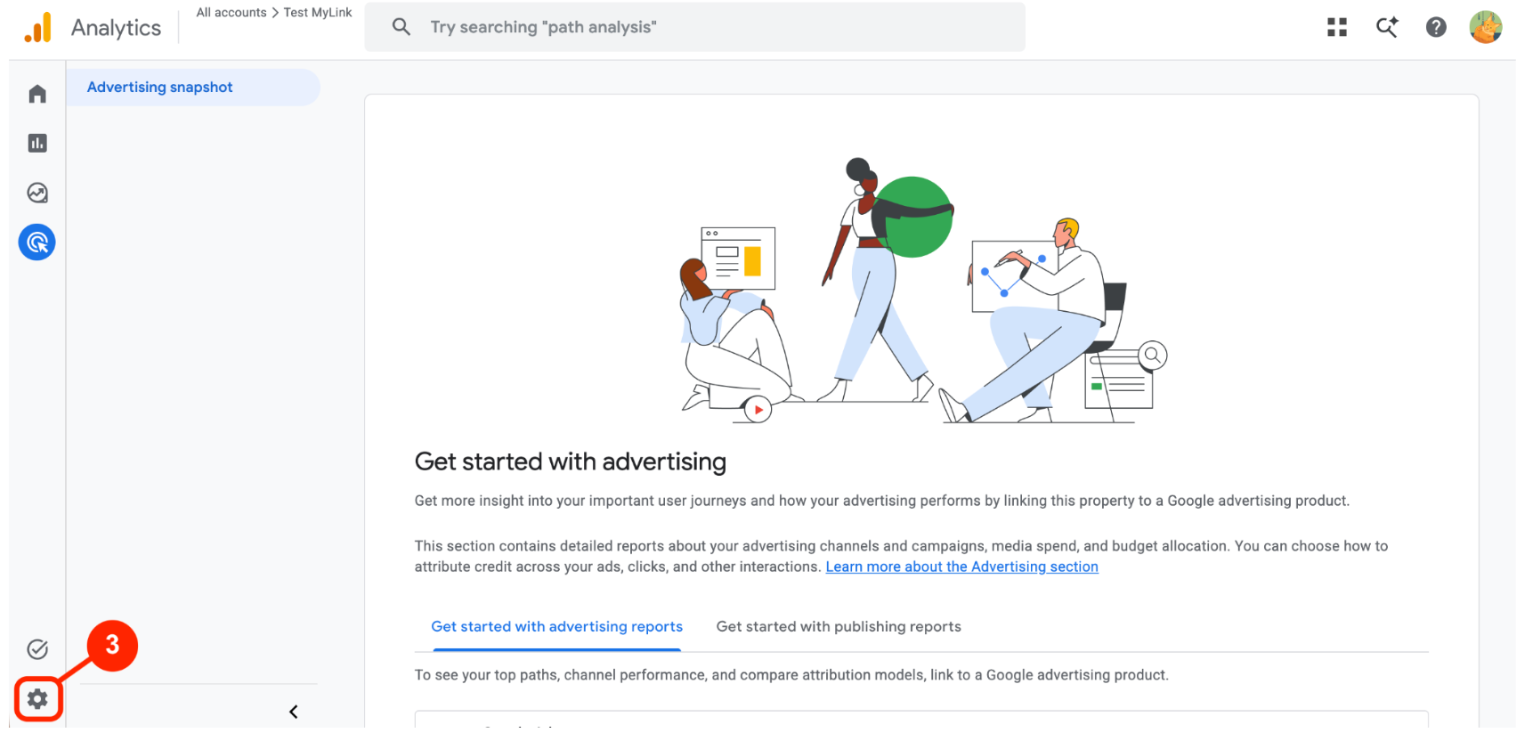
Login to Google Analytics using your Google account.
Click Settings.
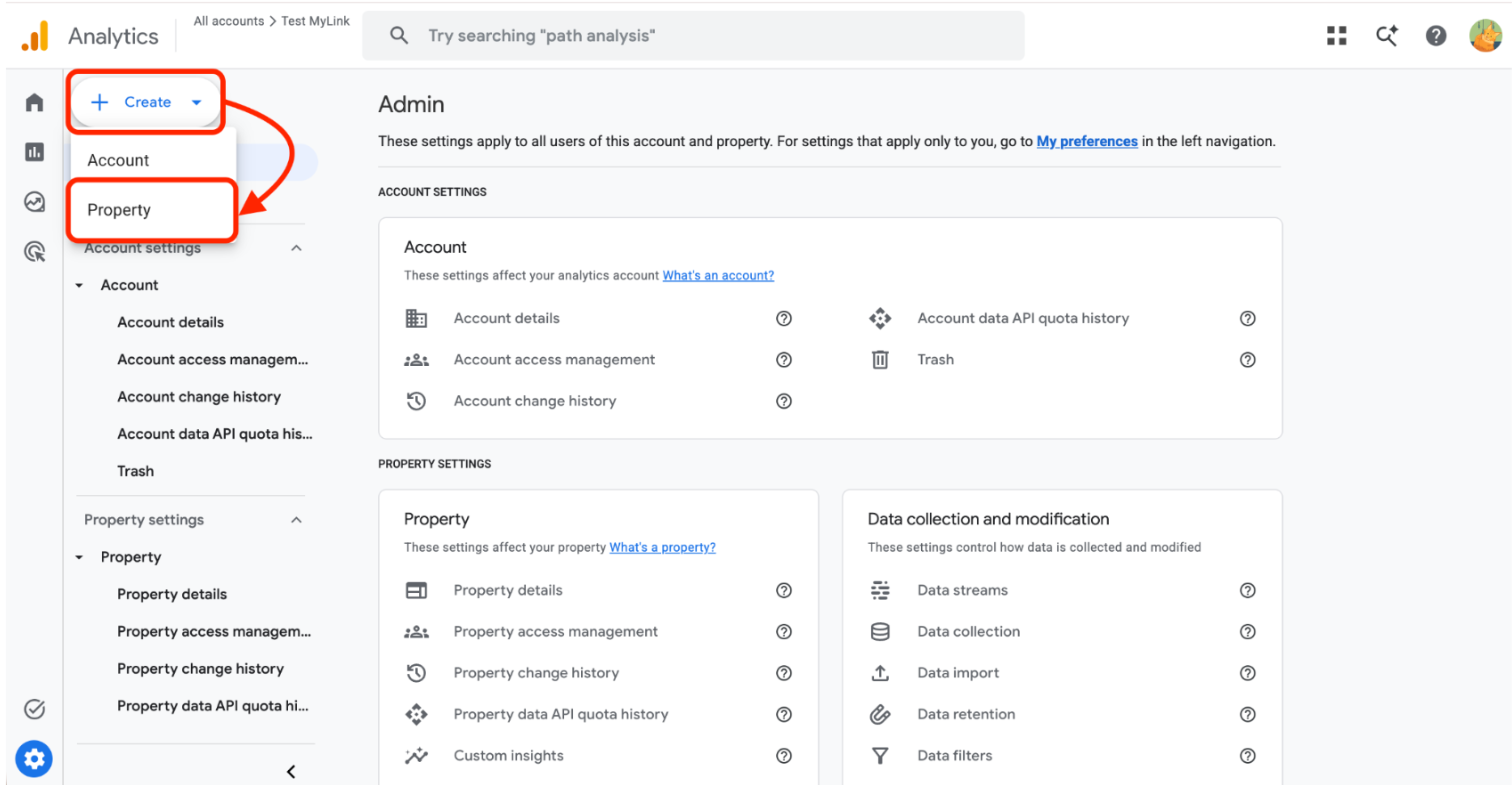
Click Create then Property.
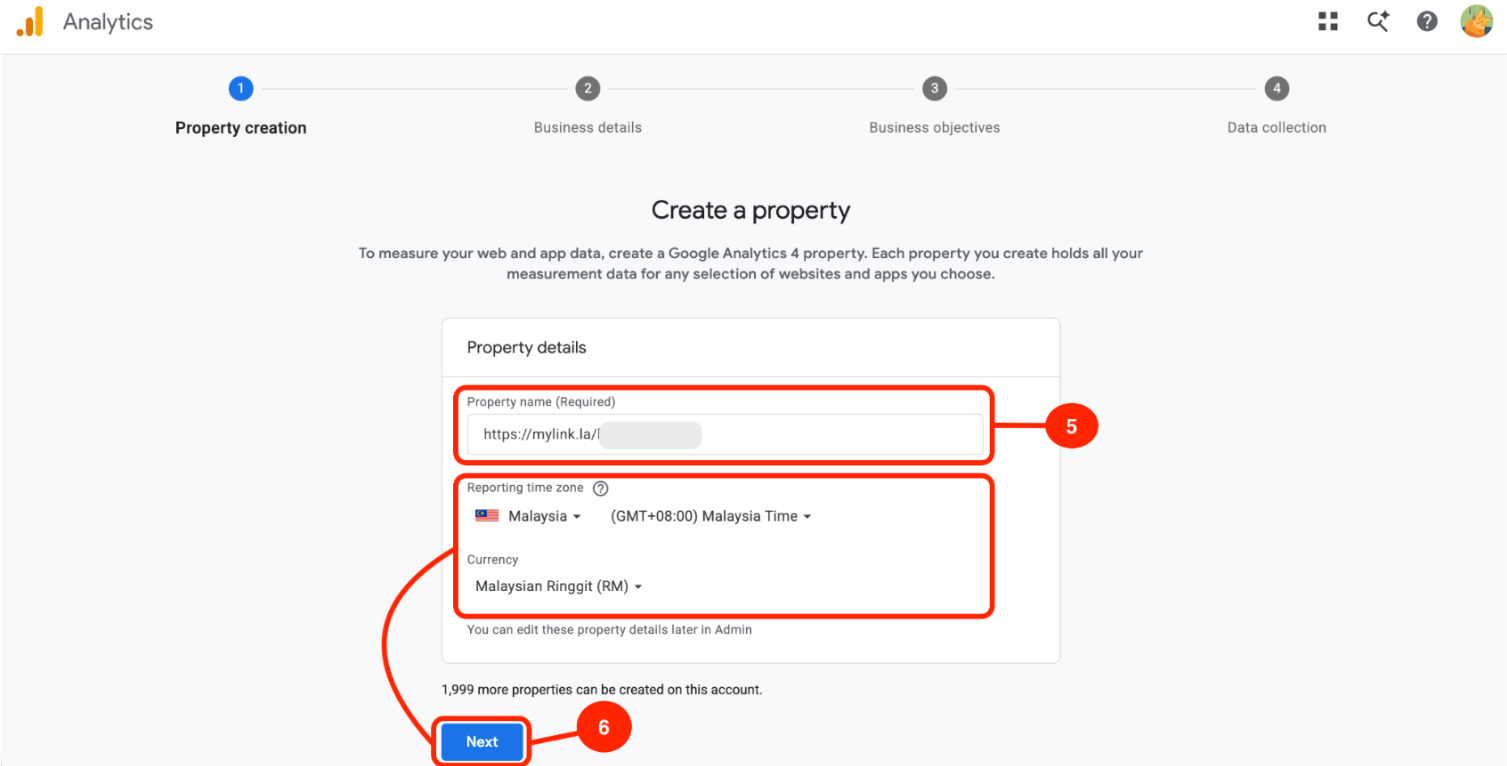
Enter your MyLink URL in the Property name field.
Set Reporting Time Zone to Malaysia and Currency to Malaysian Ringgit (MYR), then click Next.
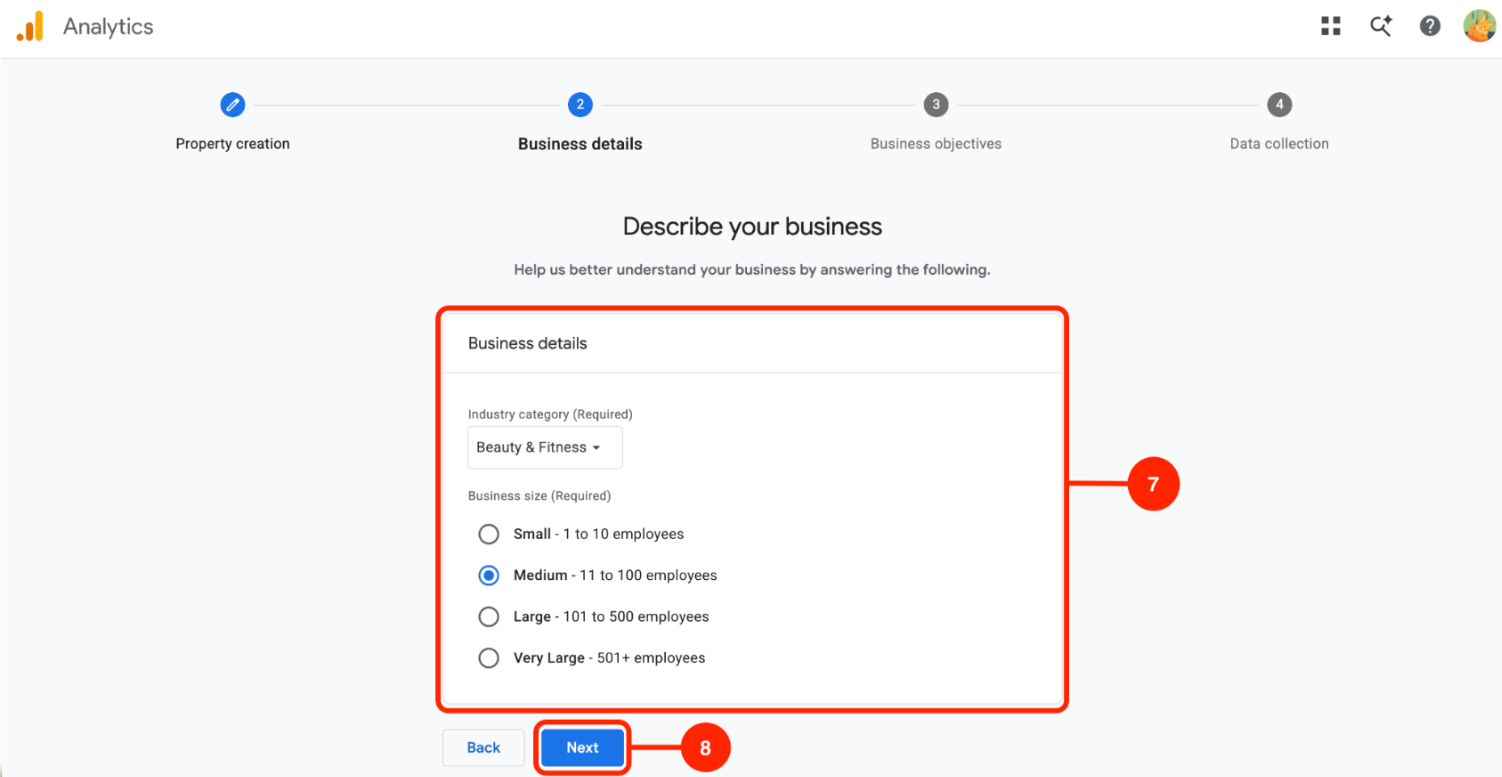
Select an Industry Category(Required) and Business Size.
Click Next.
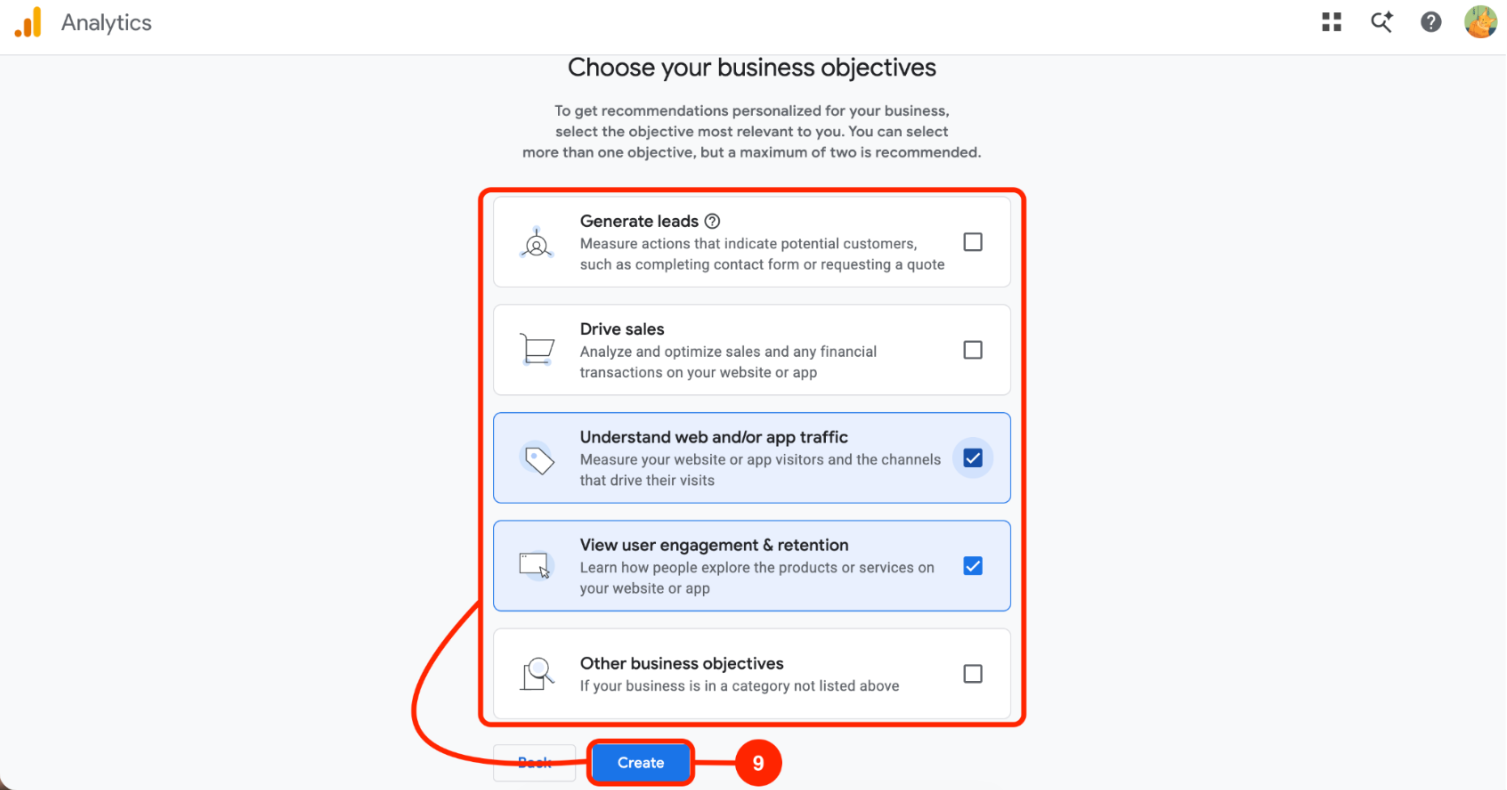
Choose the Business Objective that best matches your business, then click Create.
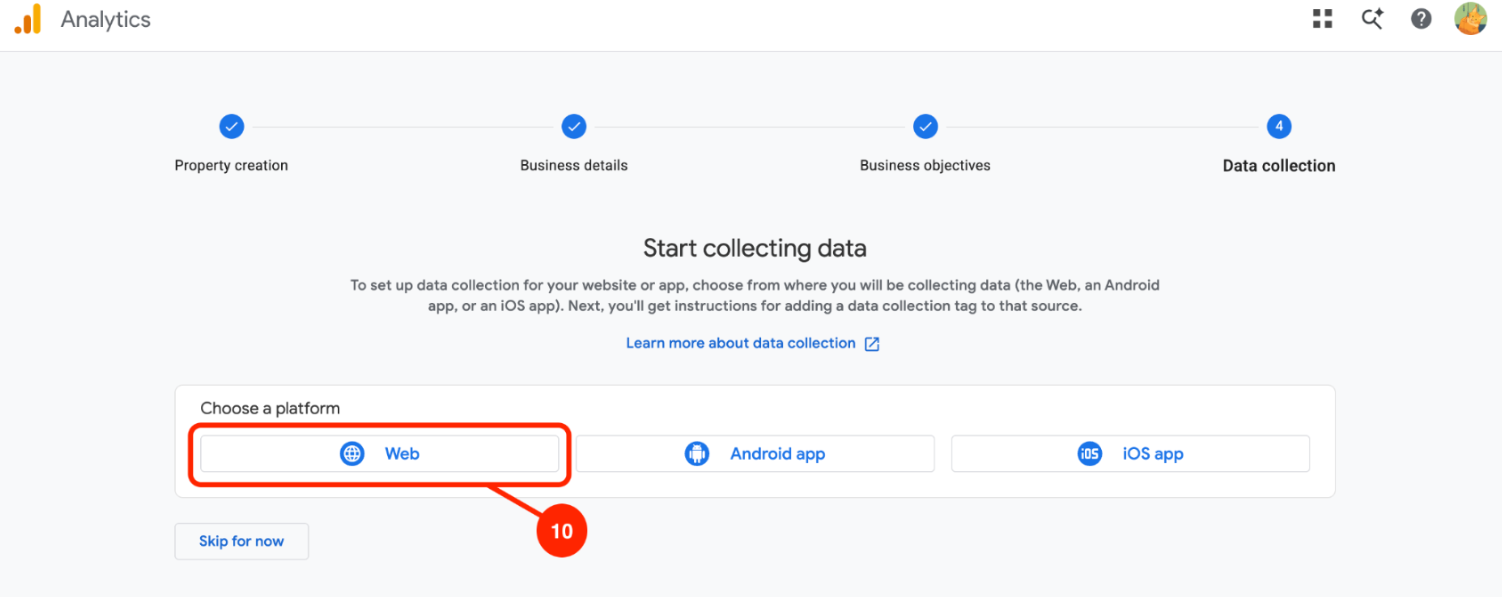
Choose Web as your platform.
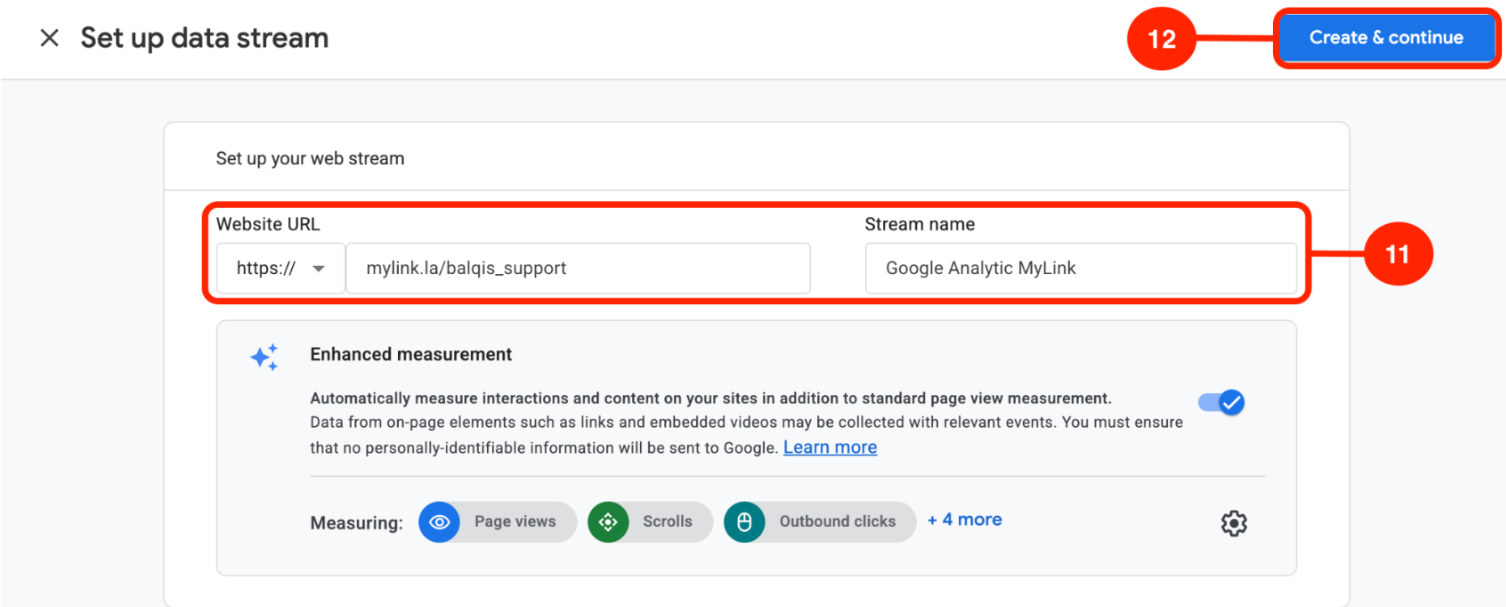
Enter your MyLink URL in the Website URL field and enter a Stream Name (e.g. MyLink).
Then click Create Stream.
Click the property or web stream that you have created.
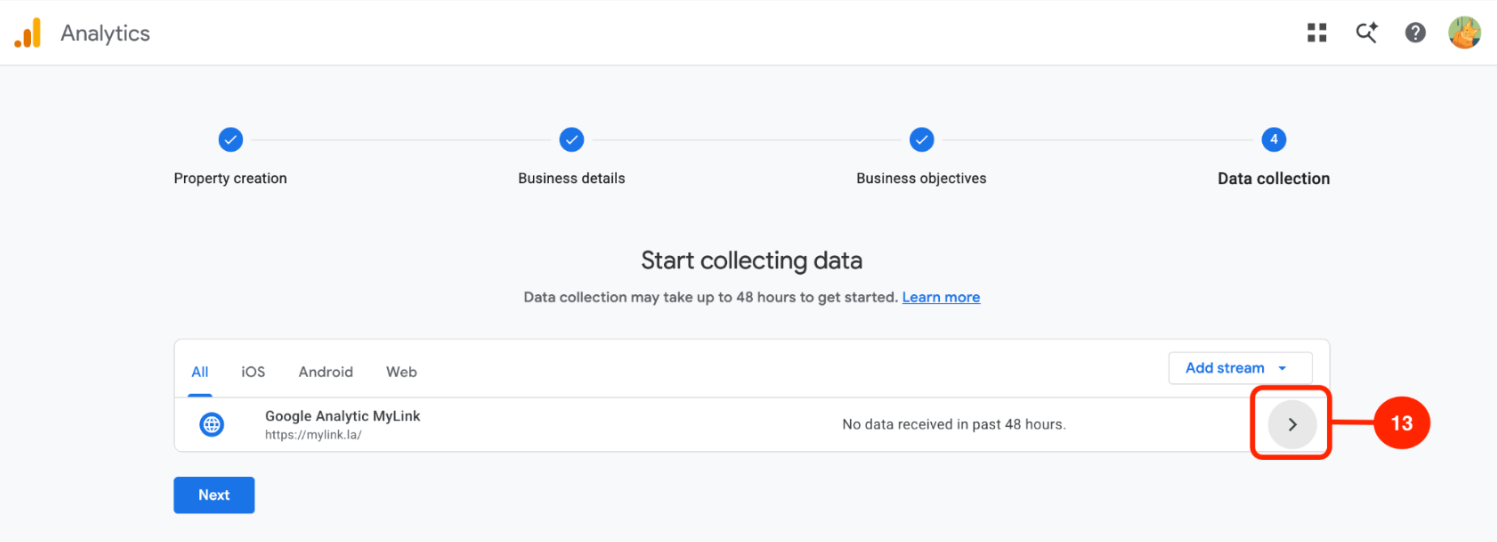
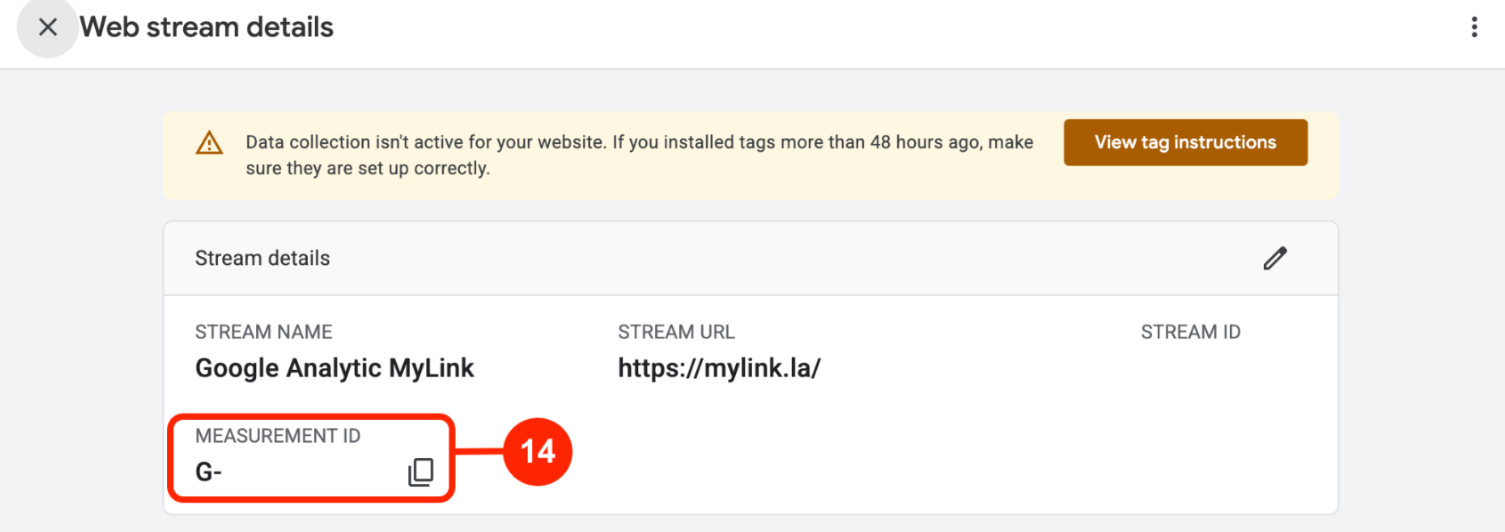
Copy the Measurement ID.
Return to MyLink, paste the Measurement ID into the Google Analytics field, then click Save.
Page 3 of 3 · Pixel